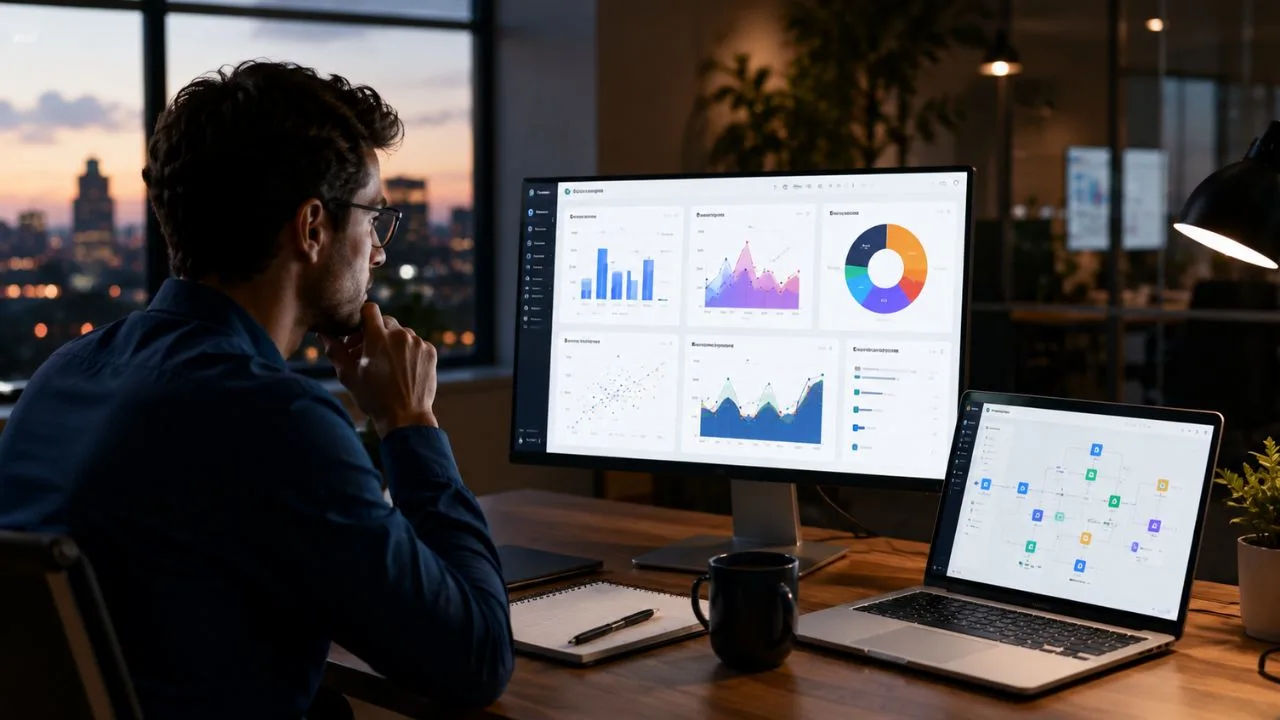

Sigma Computing is a cloud-based analytics and business intelligence platform designed for organisations that keep their data in modern cloud data platforms. It gives users a spreadsheet-style interface for exploring live business information, creating dashboards and building operational applications. This familiar experience can make complex company data more accessible to people who do not regularly write SQL.
Unlike traditional reporting tools that often depend on imported datasets or scheduled extracts, Sigma works directly with data stored in a connected cloud warehouse. User actions such as filtering, grouping, calculating and creating pivot tables are translated into queries. The calculations run where the organisation’s data already lives, helping teams work with current information without creating another separate data store.
Sigma Computing has expanded beyond standard dashboards and reports. Its platform now supports input tables, write-back workflows, embedded analytics, AI-assisted analysis, AI applications and autonomous agents. This combination allows users to move from viewing what happened to updating information, triggering actions and managing business processes through the same governed environment.
Pricing is not displayed as a simple public monthly fee because Sigma is generally sold according to organisational requirements. Costs can depend on licence types, user roles, platform usage, integrations and deployment needs. Businesses should therefore assess both the platform’s capabilities and the expected user activity before requesting a tailored Sigma Computing pricing proposal.
What Is Sigma Computing?
Sigma Computing is a business intelligence and analytics platform built for cloud-based data environments. It provides an interface that resembles a familiar spreadsheet while using the scale and processing power of a cloud data platform. Users can explore large datasets, create formulas and analyse information without downloading the complete dataset to a local computer.
The platform is intended to reduce the distance between technical data teams and business departments. Analysts can prepare governed datasets and reusable models, while finance, sales, marketing and operations teams can answer many of their own questions. This self-service analytics approach can reduce repeated requests for new reports and basic data extracts.
Most work in Sigma takes place inside workbooks. A workbook can contain tables, pivot tables, charts, controls, text, images and interactive layouts. The same workbook environment can be used to create a simple report, an executive dashboard, a forecasting workflow or a more advanced data application.
Sigma is not a replacement for the cloud data platform itself. The organisation still needs a supported warehouse, database or lakehouse for its enterprise data and computing. Sigma acts as a governed interface through which users can explore, visualise, update and take action on that information.
How Sigma Computing Works
When a user applies a filter, creates a calculation or groups information inside Sigma, the platform translates that action into the relevant query language. The query is then processed by the connected data platform. Only the required results are returned to the user’s browser for analysis and presentation.
This architecture means Sigma does not normally require organisations to copy all their warehouse data into a separate analytics database. Teams can work from the same central source used by their wider data environment. Data freshness depends on the connected source, query behaviour, caching settings and the organisation’s own data pipelines.
The spreadsheet-style interface does not remove SQL from the platform. Instead, it makes common analytical operations available through formulas, menus and visual interactions. Technical users can still inspect generated queries, write custom SQL and use Python where their role and licence permissions allow it.
The performance users experience also depends on the underlying data platform. Large or inefficient queries may consume more warehouse resources and take longer to complete. Organisations should optimise data models, warehouse size, permissions and caching rules instead of assuming the analytics interface alone will solve every performance issue.
Spreadsheet-Style Data Analysis
Sigma’s spreadsheet interface is one of its most recognisable features. Rows, columns and formulas feel familiar to people who have worked with Excel or Google Sheets. Users can create calculations, sort records, group information and build pivot-style analyses without learning an entirely new method of working with data.
The major difference is scale. A desktop spreadsheet normally works with information stored inside a local file or imported worksheet. Sigma sends analytical operations to the connected cloud data platform, allowing users to explore much larger datasets than a normal spreadsheet can comfortably manage.
Business teams can start with detailed records instead of receiving only pre-aggregated charts. They can filter information, drill into categories and investigate the individual records behind an important result. This supports follow-up questions that may not have been anticipated when a standard dashboard was originally designed.
The familiar interface can shorten the learning curve, but users still need to understand their organisation’s metrics and data structure. A spreadsheet experience does not automatically prevent incorrect calculations or misleading conclusions. Governed datasets, clear definitions and user training remain important for reliable self-service analytics.
Sigma Workbooks and Dashboards
Workbooks are the main building blocks within Sigma Computing. They can contain several pages, each designed for a different audience, analysis or workflow. A single workbook might include an executive summary, detailed tables, departmental views and interactive controls for changing dates, regions or product categories.
Dashboard creators can combine charts, key performance indicators, maps, tables and filters in one layout. Viewers can interact with these elements rather than receiving only a fixed image. Depending on their permissions, they may drill into underlying information, change controls, download results or ask questions using AI features.
Sigma also supports collaboration around analytical content. Team members can share workbooks, leave comments and work with controlled versions. This can reduce the need to exchange multiple spreadsheet files through email and wonder which version contains the latest calculations.
Dashboards are most effective when they are designed around decisions rather than filled with every available metric. Builders should identify what the audience needs to understand and what action should follow. Sigma provides flexible components, but good information design still depends on clear business goals and thoughtful presentation.
Live Queries Without Traditional Extracts
Sigma is designed to query information directly from the connected cloud data platform. This approach can provide more current answers than a report based on an old exported file. When underlying warehouse information changes, a refreshed query can reflect the newer records without requiring users to rebuild a local spreadsheet.
Direct querying also supports governance because the data remains within the organisation’s controlled environment. Access can be evaluated through warehouse roles, Sigma permissions and security rules. Users see only the information their organisation has authorised them to view.
Live access does not mean every screen updates continuously without cost or delay. Each query uses computing resources, and large datasets may require careful optimisation. Administrators can use caching and warehouse controls to balance speed, freshness and cloud computing expenses.
Organisations should decide which reports require near-current information and which can use cached results. A real-time operational dashboard may need frequent updates, while a monthly management report may not. Matching refresh behaviour to the actual business need can improve performance and control data platform costs.
Sigma AI Features
Sigma includes artificial intelligence capabilities for asking questions, generating analytical content and creating business workflows. Users can interact with approved data through natural-language prompts instead of manually building every calculation. AI can help explain charts, create formulas, summarise text and support the early stages of application development.
Sigma Assistant can work within the workbook environment. It may help users create charts, layouts, input tables and interface components based on their instructions. This can reduce the time required to move from an initial idea to a working analytical experience.
AI Query allows users to apply language-model functions to tabular information. Teams may use it to classify text, analyse sentiment, create summaries, translate content or extract structured information. These capabilities can be useful when business datasets contain customer feedback, support messages, product descriptions or other unstructured text.
The quality of AI output still depends on the data, instructions and model being used. Organisations should review important results rather than treating generated answers as automatically correct. Permission controls, approved semantic models and human oversight are especially important when AI influences financial, customer or operational decisions.
Sigma Agents and Automated Workflows
Sigma Agents extend the platform from conversational analysis into more automated activity. An agent can be configured to examine approved warehouse information, follow instructions and use permitted actions. It may identify an important pattern, prepare an output or initiate a connected workflow.
For example, a sales agent could monitor account activity and identify opportunities requiring follow-up. A finance agent might review incomplete submissions and prepare reminders. An operations agent could check performance indicators on a schedule and alert a manager when a meaningful exception occurs.
Agents can also include human approval before a sensitive action is completed. The system may prepare a structured result and wait for a person to review it before sending information to another application. This human-in-the-loop approach helps teams gain automation benefits without removing accountability.
Businesses should begin with clearly defined, low-risk processes rather than attempting to automate every decision immediately. The agent needs reliable data, narrow instructions, controlled tools and a measurable outcome. Regular reviews are necessary to confirm that the automation continues to behave as expected when business conditions change.
Input Tables and Data Write-Back
Traditional business intelligence platforms are mainly designed for reading information. Sigma adds input tables that allow authorised users to enter or update data through a workbook. The new information is stored in a designated write-back area within the organisation’s connected data platform.
Input tables can support budgeting, planning, approvals, commentary and operational tracking. A finance team might enter forecast assumptions beside actual results, while a sales manager could add notes to a territory review. This keeps manually supplied information closer to the governed data used for analysis.
Actions can be configured to insert, update or delete permitted records. Workflows may also call stored procedures or connected APIs where the organisation has enabled those capabilities. This allows a workbook to become an interactive business application rather than remaining a passive dashboard.
Write-back requires careful access control because users are changing information rather than simply reading it. Administrators should define who can edit each table, what data can be changed and how activity will be audited. Separate development and production processes can also reduce the risk of accidental changes.
Building Data and AI Applications
Sigma can be used to create applications that combine data, interface components and business actions. Builders can add tables, forms, buttons, modals, controls and conditional behaviour inside a workbook. These elements can support a focused workflow without requiring a development team to code an entirely separate application.
A data application may allow a user to investigate a metric, enter a decision and trigger the next step from one place. Examples include budget planning, inventory adjustments, pricing approvals and customer-risk reviews. The experience can be tailored around the process instead of asking users to switch repeatedly between dashboards and operational systems.
AI applications add language-model capabilities to these workflows. Users may classify records, create summaries, ask questions or generate recommendations using data governed by the organisation. The application can combine AI output with business rules and human review before an action is taken.
No-code and low-code tools can accelerate development, but organisations still need ownership and testing. Builders should document formulas, validate permissions and review the user experience before wider release. A quickly created application becomes valuable only when it remains reliable, understandable and maintainable.
Embedded Analytics
Sigma embedded analytics allows organisations to place dashboards, workbooks, tables or individual visual elements inside another application. A software company can provide analytics to its customers without asking them to open a separate Sigma workspace. The embedded experience can be styled and controlled to fit the surrounding product.
Secure embedding can pass user identity and authorised attributes into the analytical content. This allows different customers or employees to see only the data intended for them. Row-level rules, user attributes and application-level permissions are important for preventing information from crossing account boundaries.
Embedded analytics can support customer reporting, product usage insights, financial summaries and operational monitoring. It may help a software provider add analytical value without building every visualisation and filtering feature from the beginning. Product teams can focus more attention on the surrounding customer experience.
Businesses evaluating embedded Sigma pricing should discuss expected viewer numbers, user activity and required features with the vendor. External-facing analytics may have different commercial considerations from an internal BI deployment. Load testing and security review should also happen before the embedded experience is released widely.
Pixel-Perfect Reporting and Exports
Interactive dashboards are useful for exploration, but some business processes still require carefully formatted documents. Sigma supports reports designed for predictable PDF output. These can be useful for board packs, financial statements, regulatory materials, customer reports and other situations where layout consistency matters.
Report builders can control how tables, headings, charts and page elements appear in the final document. This differs from simply taking a screenshot of a dashboard. A dedicated report can be designed to fit pages, repeat important headers and present information in an organised printable format.
Depending on licence permissions, users can export content in formats such as PDF, Excel, CSV, JSON or images. Exports may also be scheduled or delivered to supported collaboration and storage platforms. This can reduce the manual effort involved in preparing recurring reporting packages.
Frequent automated exports may contribute to usage-based charges under Sigma’s current commercial model. Organisations should determine which reports genuinely need scheduled distribution and which users can view directly inside the platform. Reducing unnecessary exports can support better governance and cost control.
Data Sources and Integrations
Sigma connects with several modern cloud data platforms, including Snowflake, Databricks, Google BigQuery and Amazon Redshift. It can also support connections such as PostgreSQL, AlloyDB and MySQL. Feature availability may vary because these systems use different architectures, security methods and query capabilities.
The platform also supports workflow and export integrations. Depending on configuration and permissions, teams may deliver information to email, Google services, Slack, Microsoft Teams or SharePoint. API connectors and stored-procedure actions can extend workflows into additional business systems.
A connection does not automatically make every source ready for self-service analysis. The organisation still needs properly modelled tables, consistent definitions and reliable data pipelines. Poorly organised source information can create confusing workbooks regardless of the quality of the analytics interface.
Before adoption, technical teams should confirm that their required data platform, region and authentication method are supported. They should also test important capabilities such as write-back, OAuth, private connectivity and embedded access. A proof of concept using real organisational data can reveal limitations earlier.
Security and Data Governance
Sigma is designed to work with the security controls of the connected data platform. Queries can respect warehouse roles, row-level restrictions and other access rules. Sigma adds its own controls for accounts, teams, workbooks, data models and feature permissions.
Row-level security can restrict which records a person sees, while column-level controls can protect sensitive fields. This is useful when several departments use the same dataset but should not have identical access. A regional manager, for example, may see only records connected to an assigned territory.
The platform supports organisational authentication options such as SAML-based single sign-on and OAuth. Centralised authentication can make account management easier and reduce dependence on separate passwords. Administrators can also review audit information to understand how content and data are being accessed.
Strong technology controls still require clear internal policies. Organisations should define data ownership, approval processes and user responsibilities before opening access widely. Self-service analytics works best when people gain enough freedom to answer questions without receiving unnecessary access to confidential information.
Sigma Computing Licence Tiers
Sigma’s current licensing model includes View, Act, Analyze and Build tiers. The assigned tier is connected to the permissions enabled for a user’s account type. This allows an organisation to give different employees capabilities that match the work they actually perform.
The View tier is intended for people who mainly consume prepared insights. These users can view workbooks, interact with defined controls, review charts and use selected AI features. It can suit executives, managers or other users who need answers without building analytical content.
The Act tier adds capabilities for people who contribute information and participate in workflows. Users may edit approved input tables, submit forms, trigger permitted actions and create alerts. The Analyze tier adds deeper ad hoc exploration for decision-makers who need to investigate data beyond predefined dashboard interactions.
The Build tier is designed for analysts, data architects, application builders and administrators. It supports workbook creation, modelling, workflows, SQL, Python, integrations and connection management. Organisations may also encounter older Lite, Essential and Pro terminology if they remain on a previous licensing arrangement.
Sigma Computing Pricing
Sigma Computing does not publish a fixed enterprise price list on its main pricing materials. Organisations are directed to contact an account representative for a tailored quote. This makes it difficult to provide one universal cost that applies to every business.
A proposal may consider the number of users assigned to different licence tiers. A company with many View users and a smaller group of builders may have a different cost structure from a company where most users perform advanced analysis. Embedded users and external customer access may also affect the commercial agreement.
Sigma also uses credits for certain billable usage events. These can include published input-table updates, integration actions and some report exports. The exact cost per credit and included allowance must be confirmed through the organisation’s contract or Sigma representative.
Businesses should request a complete cost breakdown rather than focusing only on the headline subscription. The evaluation should include Sigma licences, credit usage, cloud warehouse computing, implementation, training and ongoing administration. A lower software quote may still lead to higher overall costs if inefficient queries create significant warehouse consumption.
Is There a Free Sigma Computing Plan?
Sigma offers a free trial that allows potential customers to connect a warehouse, explore live data and build an initial workbook. The published trial information states that a credit card is not required to begin. This can help teams test the interface before entering a commercial agreement.
The trial should be used for more than viewing a generic demonstration. Organisations should connect a representative dataset and test their most important workflows. Finance users might reproduce a planning report, while a product team might build a customer analytics dashboard.
Sigma Public also provides a free environment for creating and sharing public AI applications and visual experiences. Users can work with sample data or upload appropriate CSV files. It does not provide the complete organisation-level feature set or direct enterprise warehouse connectivity available in the commercial platform.
Sensitive or confidential company data should not be uploaded to a public environment. Sigma Public is better suited to learning, experimentation and openly shareable projects. Businesses evaluating a secure deployment should use the official trial process and follow their internal data-protection requirements.
Finance and Financial Planning Use Cases
Finance teams can use Sigma to combine actual results, forecasts and operational assumptions within one analytical environment. Detailed records remain connected to the cloud data platform, while spreadsheet-style formulas provide a familiar method for analysis. This can reduce reliance on repeated file exports.
Input tables can support budgeting and forecasting workflows. Department leaders may enter assumptions, finance teams can compare them with actual performance and managers can review changes. Permission controls can determine who is allowed to view, edit or approve each part of the process.
Sigma can also support variance analysis, cash-flow reporting, expense reviews and profitability investigation. Users can move from a high-level result to the transactions contributing to it. This reduces the need to request a separate report whenever a manager asks why a number changed.
Financial reporting requires strong governance because small calculation errors can influence important decisions. Teams should validate formulas, document definitions and control who can update assumptions. Sigma provides the technical environment, but the finance organisation remains responsible for the accuracy of its models.
Sales and Revenue Operations Use Cases
Sales leaders can use Sigma to review pipeline coverage, bookings, activity and forecast changes. A workbook can combine customer, opportunity and product information from the warehouse. Interactive controls allow managers to examine results by region, representative, segment or period.
Revenue operations teams may build territory reviews, account-prioritisation tools and forecast workflows. Input tables allow sales managers to add judgement or update approved fields beside warehouse data. Actions can then move selected information into another connected system where permissions allow.
AI features can help teams summarise account activity or identify patterns within large customer datasets. An agent may monitor important changes and prepare a list of accounts needing attention. Human review should remain part of the process when the result influences customer communication or forecast commitments.
The strongest sales use cases begin with reliable customer and opportunity data. If CRM information is incomplete or inconsistent, a more attractive dashboard will not correct the underlying problem. Organisations should improve data quality alongside their Sigma implementation.
Marketing Analytics Use Cases
Marketing teams can use Sigma to analyse campaign performance across channels, audiences and customer stages. Data from advertising, website activity, customer systems and sales outcomes can be brought together inside the warehouse. Sigma then provides an interface for exploring that consolidated information.
Common use cases include attribution analysis, cohort analysis, funnel reporting and customer segmentation. Marketers can compare acquisition cost, conversion rate and revenue across campaigns. Detailed exploration helps teams move beyond surface-level measures such as impressions or clicks.
Text-focused AI features may also support analysis of survey responses, reviews or campaign feedback. Teams can classify themes, summarise comments or examine sentiment at scale. Important conclusions should be checked against the source records before they influence major marketing decisions.
Marketing analytics can become misleading when each department uses a different definition of conversion or revenue. Shared semantic models and documented metrics are essential. Sigma can make data more accessible, but the organisation must first agree on what its key measures mean.
Product and Customer Analytics Use Cases
Product teams can use Sigma to explore feature adoption, user journeys, retention and engagement. Detailed event data can remain inside the cloud platform while users investigate behaviour through tables and visualisations. This allows product managers to answer follow-up questions without waiting for every new dashboard.
Cohort analysis can show whether customers acquired during different periods behave differently. Teams may compare retention after a product release, onboarding change or pricing update. Filters and drill-downs help identify which customer groups experienced the strongest or weakest outcomes.
Customer-success teams can combine usage, support, contract and engagement information to review account health. A governed workflow may highlight customers showing signs of reduced activity. Managers can then review the underlying evidence before assigning outreach or updating a risk assessment.
A product analytics implementation needs clear event tracking and stable customer identifiers. Missing events or duplicated accounts can produce incorrect conclusions. Sigma makes exploration easier, but trustworthy results still depend on the quality of the underlying product data.
Operations and Supply Chain Use Cases
Operations teams can use Sigma to monitor inventory, fulfilment, supplier activity and service performance. Live warehouse access helps users work from recent information instead of manually combining several exported files. Dashboards can provide a high-level view while tables preserve detailed operational records.
Inventory teams may compare available stock, demand forecasts and replenishment times. Filters can identify products or locations requiring attention. Input tables may allow authorised users to record adjustments, explanations or proposed actions beside the analytical information.
Supply chain managers can investigate delays, vendor performance and transportation costs. A workflow can highlight exceptions rather than forcing users to check every shipment manually. AI agents may eventually support scheduled monitoring and structured alerts where the organisation has enabled them.
Operational decisions often affect customers and physical resources, so automation should be introduced carefully. Teams need clear thresholds, escalation paths and approval requirements. A well-designed Sigma application should help people respond more quickly without hiding the reasons behind a recommendation.
Advantages of Sigma Computing
Sigma’s spreadsheet-style experience can make cloud data more approachable for business users. People can apply familiar formulas and table operations while working with much larger datasets. This may reduce dependence on local spreadsheets and repeated analyst requests.
Direct warehouse querying helps maintain a central source of governed information. Organisations do not need to create another full analytics data copy simply to use the platform. Existing roles and security rules can remain part of the access model.
The combination of analytics, input tables, applications and actions allows teams to move beyond passive reporting. Users can investigate information and participate in the related workflow without leaving the workbook. AI applications and agents further extend the range of processes that can be supported.
Sigma also serves several levels of technical ability. Business users can work visually, analysts can build governed models and technical teams can use SQL or Python. This flexibility can help organisations reduce the number of disconnected tools used for reporting and lightweight operational applications.
Limitations and Potential Drawbacks
Sigma is most suitable for organisations that already have a modern cloud data platform or plan to adopt one. A company relying mainly on local spreadsheets and disconnected applications may need significant data engineering work before receiving full value. The software is not a substitute for a properly managed data foundation.
Pricing transparency is another limitation for buyers who want to compare products quickly. There is no universal public enterprise price that can be placed directly beside competitors. Organisations must speak with sales and estimate licence, usage and warehouse costs together.
The familiar interface may encourage users to assume that every spreadsheet calculation will scale efficiently. Complex formulas and poorly designed workbooks can generate expensive or slow queries. Training, modelling standards and performance monitoring are necessary as adoption expands.
Some organisations may also find the platform broader than their needs. A small team seeking only a few static charts may not require write-back, embedded analytics or AI applications. The value becomes stronger when several departments need governed self-service analysis and interactive workflows.
Sigma Computing vs Traditional Spreadsheets
Traditional spreadsheets remain useful for quick calculations, personal models and small datasets. They are widely understood and can work without a central cloud platform. However, locally stored files can create version confusion, manual refresh work and limited governance.
Sigma keeps the spreadsheet-style interaction while moving the data processing to a connected cloud environment. Several users can work from governed sources rather than maintaining separate copies. Workbooks can also provide access controls, version management and interactive elements.
Desktop spreadsheets may still be better for highly customised personal modelling or offline work. Sigma is designed more for shared enterprise analysis, reporting and workflows. The best choice depends on data size, collaboration requirements and governance needs.
Many organisations will continue using both. Sigma can manage centralised analysis and operational workflows, while a spreadsheet remains useful for individual calculations or temporary work. The goal should be to reduce risky file-based processes rather than remove every spreadsheet from the business.
Who Should Use Sigma Computing?
Sigma is well suited to organisations that store important business information in Snowflake, Databricks, BigQuery, Redshift or another supported platform. It is especially relevant when business teams want greater analytical independence but IT still requires central governance.
Finance, sales, marketing, product and operations departments can all use the platform. The strongest adoption often occurs when these teams have recurring questions that cannot be answered through fixed dashboards alone. Spreadsheet familiarity can help them move towards deeper self-service exploration.
Software companies may also consider Sigma for embedded customer analytics. They can provide interactive reporting inside their own product while using controlled access to separate customer data. The commercial and technical design should be tested carefully before launch.
Very small organisations without a cloud data strategy may find the required foundation too complex or expensive. They should compare their current needs with simpler reporting tools. Sigma becomes more valuable when data volume, departmental demand and workflow complexity justify an enterprise platform.
How to Evaluate Sigma Computing
Begin by listing the decisions and workflows the platform needs to support. Avoid starting with a general goal such as “improve dashboards.” A focused evaluation might include reducing finance reporting time, enabling sales self-service or replacing a manual planning spreadsheet.
Next, connect representative data and ask real users to build or perform their normal tasks. Analysts should test modelling and performance, while business users should test exploration and usability. Administrators should review authentication, permissions, auditing and connection management.
The commercial evaluation should include licence allocation and activity estimates. Determine how many users need only View access, how many will Act or Analyze and how many require Build capabilities. Ask how credits are consumed and what controls are available for monitoring usage.
Finally, measure the result against an existing process. Compare report preparation time, analyst requests, query costs, user adoption and error rates. A successful proof of concept should demonstrate a meaningful improvement rather than simply producing an attractive dashboard.
Is Sigma Computing Worth It?
Sigma Computing can be worth the investment for organisations seeking governed self-service analytics on live cloud data. Its spreadsheet-style interface may help business departments answer more questions independently. This can free data teams to focus on modelling, quality and advanced analysis.
The platform may provide additional value when a business wants to combine dashboards with input, approvals and actions. These capabilities can replace some manual spreadsheet workflows and lightweight internal tools. Embedded analytics can also create customer-facing value for software providers.
Value depends heavily on adoption and data readiness. An organisation with poor source data, unclear metrics or limited user training may not receive the expected return. Cloud warehouse costs must also be monitored because live analytical activity consumes computing resources.
The final decision should be based on a practical trial and a complete commercial proposal. Buyers should compare the expected productivity gains with licences, usage credits, implementation and warehouse costs. Sigma is most compelling when it solves several analytical and operational problems through one governed platform.
Final Verdict
Sigma Computing is no longer limited to spreadsheet-style business intelligence. Its current platform combines live data analysis, dashboards, reports, input tables, embedded analytics, AI applications and agents. This makes it relevant to organisations that want to connect insight more closely with action.
Its familiar interface is a major advantage for business users who find traditional BI tools restrictive or technical. At the same time, SQL, Python, data modelling and administrative controls remain available for advanced users. The platform can therefore support both departmental exploration and governed enterprise development.
Pricing requires careful investigation because Sigma does not publish a standard enterprise rate. Buyers need to consider View, Act, Analyze and Build licences along with usage credits and cloud data platform costs. A tailored quote should be tested against realistic adoption and activity estimates.
For companies with a mature cloud data environment, Sigma can provide a flexible way to broaden access without abandoning governance. It is less suitable for organisations seeking a simple low-cost dashboard tool with no warehouse foundation. A well-designed proof of concept is the best way to determine whether its features justify the total cost.
Frequently Asked Questions
What is Sigma Computing used for?
Sigma Computing is used for cloud data analysis, dashboards, reporting, planning, embedded analytics and operational workflows. It gives business users a spreadsheet-style interface connected to governed warehouse data.
How much does Sigma Computing cost?
Sigma does not publish standard enterprise pricing. Costs depend on licence tiers, user requirements, usage credits, integrations and the organisation’s commercial agreement.
Does Sigma Computing require SQL?
No, users can perform many tasks through formulas and visual spreadsheet-style controls. Advanced users with the correct permissions can also write SQL and Python.
Which data platforms connect with Sigma?
Sigma supports platforms including Snowflake, Databricks, Google BigQuery and Amazon Redshift. It also supports selected relational databases, although feature compatibility can differ.
Is Sigma Computing better than Excel?
Sigma is more suitable for governed analysis of large, live cloud datasets and shared workflows. Excel may remain better for smaller personal models, offline work and quick standalone calculations.