
Closed Caption Meaning: How Captions Work
What Does Closed Caption Mean?
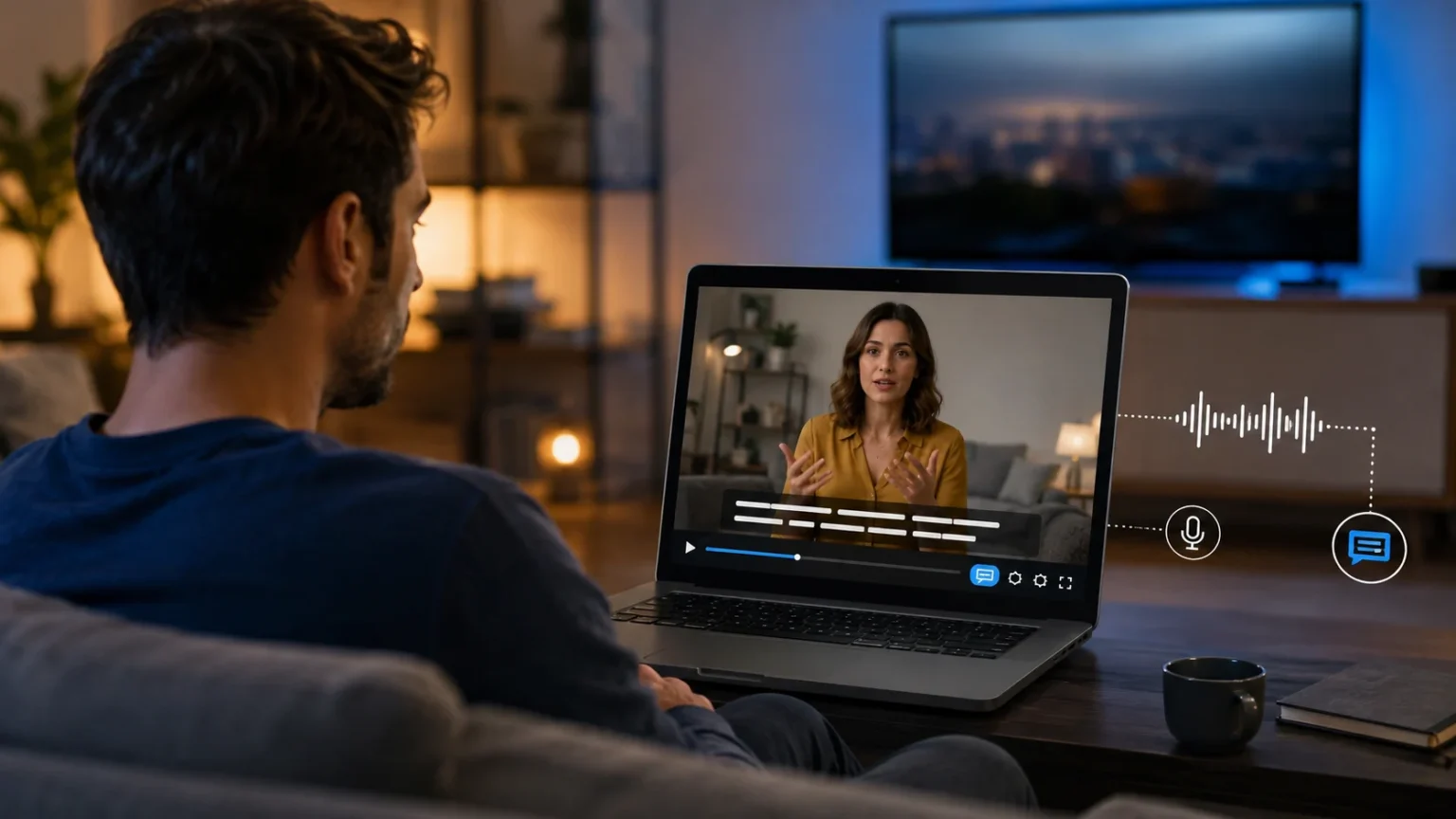
Closed captioning is a system that displays spoken dialogue and important audio information as text on a screen. The word “closed” means viewers can usually turn the captions on or off depending on their preferences or needs. Closed captions may appear on television programs, streaming platforms, online videos, virtual meetings, educational content, and many other forms of digital media. They are especially useful for people who are deaf or hard of hearing, although many other viewers also use them regularly. Captions can show spoken words, identify speakers, and describe meaningful sounds such as music, laughter, alarms, or footsteps. In simple terms, closed captions turn important audio information into readable text.
Understanding the closed caption meaning becomes easier when you compare captions with ordinary subtitles. Subtitles traditionally focus on translating or displaying spoken dialogue, while closed captions are designed to represent a wider range of audio information. A caption may show phrases such as “[door closes],” “[upbeat music],” or “[phone ringing]” when these sounds affect the meaning of a scene. It may also indicate who is speaking when the speaker is not visually obvious. These extra details help viewers understand not only what people say but also what is happening through sound. As a result, closed captioning is closely connected with accessibility and inclusive media experiences.
Closed captions are often represented by the letters “CC,” which viewers may see on televisions, video players, streaming apps, and media controls. Selecting the CC button usually allows the viewer to enable, disable, or sometimes customize the captions. Depending on the platform, users may be able to adjust font size, text color, background appearance, placement, and language. These customization features are helpful because different viewers have different accessibility needs and viewing environments. A person watching a video in a noisy train station may prefer larger captions, while another viewer may use them quietly at night. The ability to control captions is one reason they are called closed rather than permanently visible captions.
The concept of closed captions has expanded significantly as video consumption has moved from traditional television to websites, social platforms, mobile apps, online courses, and video conferencing tools. Today, captions may be created manually by professional captioners, generated through automatic speech recognition, or produced using a combination of both methods. Modern artificial intelligence can create captions quickly, but automated captions may still misunderstand accents, specialized terminology, names, or overlapping speech. Human review therefore remains important when accuracy matters. Businesses, educators, creators, and media organizations increasingly treat captioning as part of the publishing process rather than an optional extra. This shift reflects the growing importance of accessible and flexible digital content.
Closed captioning also benefits people who do not have hearing difficulties. Many viewers turn on captions because they are watching content in a loud location, learning a new language, struggling with an unfamiliar accent, or trying to understand technical terminology. Others simply find it easier to follow complex dialogue when they can read and listen at the same time. Captions may also help viewers stay engaged when audio quality is poor or when speakers talk quickly. Mobile viewing has made this behavior even more common because videos are frequently watched without sound. For all these reasons, the meaning of closed captions has evolved from a specialized accessibility feature into a widely used communication tool.
How Do Closed Captions Work?
Closed captions work by connecting written text to specific moments in a video or audio stream. The text must appear when the corresponding words or sounds occur so viewers can follow the content naturally. A caption file usually contains the spoken text along with timing information that tells the video player when each caption should appear and disappear. During playback, the media system reads this information and overlays the text on the screen when captions are enabled. The viewer does not normally need to understand the technical process happening behind the video player. From the user’s perspective, pressing the CC button simply makes synchronized text appear alongside the content.
For prerecorded content, caption creation usually begins with transcription. A human captioner or speech-to-text system listens to the audio and converts spoken language into written text. The transcript is then divided into short segments that are easy to read without blocking too much of the screen. Each segment receives timestamps so it appears at the correct point in the video. Editors may also add descriptions of significant non-speech sounds and identify speakers where necessary. After timing, formatting, and proofreading are completed, the captions can be stored in a separate caption file or embedded into a media workflow.
Automatic closed captioning uses speech recognition technology to identify spoken words and convert them into text. These systems analyze audio patterns, compare them with language models, and estimate which words were spoken. Automatic captions can be generated quickly, making them useful for meetings, social videos, livestreams, and large collections of content. However, accuracy can decline when recordings contain background noise, unclear speech, technical vocabulary, unusual names, or several people speaking simultaneously. Even small caption errors can change the meaning of a sentence, especially in medical, legal, educational, or technical content. For important material, automatic captions are often improved through human editing and quality review.
Live closed captions require a different process because the text must be produced while the event is happening. A live captioner may listen to a speaker and use specialized technology to create text almost immediately. Some live broadcasts and meetings instead rely on automatic speech recognition to generate real-time captions. Because the audio must first be heard and processed, live captions may appear slightly after the speaker says the words. Accuracy can also vary depending on audio quality, speaker clarity, terminology, and the captioning method used. Despite these challenges, real-time captions make webinars, conferences, broadcasts, classes, and online meetings much more accessible.
Once captions have been created, the video platform decides how they are displayed to viewers. Most modern players provide an accessibility menu where users can enable captions or select from available languages. Some platforms also allow viewers to control caption appearance, which can improve readability for people with different visual needs. The caption file remains synchronized with the video as viewers pause, rewind, fast-forward, or change playback speed. If multiple caption tracks are available, the viewer may switch between languages or accessibility formats. This combination of transcription, timing, encoding, and playback technology is what makes closed captioning work smoothly across modern digital media.
What Information Do Closed Captions Include?
The most obvious information included in closed captions is spoken dialogue. Every meaningful spoken sentence should generally appear as text so that viewers can follow conversations without relying entirely on audio. Accurate dialogue captioning includes words that influence the meaning, tone, or understanding of a scene rather than merely offering a shortened summary. In educational and informational videos, important terminology should be spelled correctly because viewers may rely on captions to understand unfamiliar concepts. Names, numbers, places, and technical terms also require careful attention. When dialogue is represented accurately, captions give viewers access to essentially the same spoken information available to people listening to the audio.
Closed captions can also identify speakers when it is not visually clear who is talking. Speaker identification is particularly useful when several voices are heard from off-screen or when a narrator speaks over visual footage. The captions might include a person’s name or another clear label before the dialogue begins. In some captioning styles, punctuation or positioning may help distinguish between different speakers. Clear identification prevents confusion because viewers should not have to guess who is responsible for an important statement. This becomes especially valuable in interviews, documentaries, group conversations, television dramas, webinars, and educational recordings where multiple speakers participate.
Important sound effects are another major feature that separates accessibility-focused captions from basic dialogue subtitles. Sounds can communicate information that is essential for understanding what happens on screen. For example, captions may indicate “[glass breaks],” “[thunder],” “[audience applauds],” or “[car horn]” when those sounds influence the scene. Without such descriptions, a viewer who cannot hear the audio might miss important context or emotional cues. Caption writers usually focus on meaningful sounds rather than describing every small background noise. The goal is to provide enough audio context for the viewer to understand the story, message, or situation without overwhelming the screen with unnecessary text.
Music information can also appear in closed captions when music contributes to the content. Captions may identify that music is playing, describe its mood, or indicate the title when that information is relevant and available. A caption might show “[dramatic music],” “[soft piano music],” or another brief description that helps communicate the atmosphere created by the soundtrack. Song lyrics may also be captioned when they are important to the content and appropriate for the particular media presentation. These descriptions help viewers understand emotional changes that might otherwise be communicated only through sound. Music captioning is especially common in films, television programs, entertainment content, and promotional videos.
Captions may additionally represent vocal sounds that are not traditional spoken sentences. Laughter, crying, sighing, coughing, whispering, cheering, and other vocal expressions can affect how viewers interpret what is happening. A sarcastic laugh, for example, may completely change the apparent meaning of a spoken statement. Captioning these signals allows viewers to understand emotional or conversational information that would otherwise be missing. Good captions therefore do more than create a written transcript of speech. They translate relevant parts of the audio environment into clear visual information, giving viewers a more complete understanding of the original media experience.
Closed Captions vs Subtitles: What Is the Difference?
Closed captions and subtitles both display text on a screen, so the terms are often used interchangeably in everyday conversation. However, they traditionally serve somewhat different purposes. Closed captions are primarily designed to make audio content accessible to viewers who are deaf or hard of hearing. For that reason, they may include spoken dialogue, speaker labels, music descriptions, and meaningful sound effects. Subtitles traditionally assume that the viewer can hear the soundtrack but may not understand the language being spoken. Their main purpose is therefore to present dialogue in a language the viewer can read.
A simple example makes the distinction clearer. Imagine a film in which a character says, “Someone is outside,” immediately before a loud knock is heard at the door. A subtitle track might display only the spoken sentence because its main purpose is translating or representing dialogue. A closed caption track could display the sentence and then include “[loud knocking]” to communicate the sound to someone who cannot hear it. That additional information can be important because the knocking affects what happens next. In this way, closed captions aim to represent the overall audio experience rather than only the words spoken by characters.
The distinction between captions and subtitles has become less rigid on modern streaming services and video platforms. Some services use the term “subtitles” even when the text includes sound descriptions and speaker identification. Others label accessibility-focused tracks as “SDH,” which stands for subtitles for the deaf and hard of hearing. Viewers may also see options that combine translation with accessibility information. Because terminology differs between platforms and countries, the label alone does not always reveal exactly what a track contains. Checking whether sound effects, music cues, and speaker information are included can provide a better understanding of the accessibility level offered.
Language is another factor that affects how captions and subtitles are used. Closed captions can appear in the same language as the original audio, helping viewers understand speech without needing to hear it clearly. Subtitles are often associated with translated dialogue, such as English text appearing during a film spoken in Korean, Spanish, Japanese, or another language. However, same-language subtitles are increasingly common because many viewers simply prefer reading dialogue. Streaming behavior has blurred the traditional definitions even further. The important practical difference is whether the text represents only spoken language or provides broader information about the complete soundtrack.
For viewers, the choice between captions and subtitles depends on what information they need from the content. Someone learning a new language may prefer subtitles that closely follow spoken dialogue, while a person who cannot hear the soundtrack may need captions that identify speakers and describe important sounds. Content creators should understand this distinction because simply providing dialogue text may not create a fully accessible viewing experience. Accurate closed captions should communicate the meaningful auditory information needed to understand the content. Knowing the difference between captions and subtitles therefore helps audiences select the right option and helps publishers create more inclusive media.
Closed Captions vs Open Captions
Closed captions can be switched on or off by the viewer, while open captions are permanently visible as part of the video. This is the simplest difference between the two captioning formats. When captions are closed, the video player stores or accesses the caption information separately and displays it only when the viewer activates the feature. Open captions are usually burned directly into the video image, which means they remain visible regardless of the device or player settings. Neither approach is automatically better in every situation. The right format depends on the audience, distribution method, accessibility goals, and environment in which the video will be viewed.
One advantage of closed captions is user control. Viewers who need or prefer captions can enable them, while those who want an unobstructed image can leave them turned off. Supported platforms may also allow users to change font size, background, color, language, and other display settings. These features make closed captions adaptable to different accessibility preferences. Multiple caption tracks can also be attached to the same video, allowing publishers to provide several languages without creating separate versions of the video. This flexibility makes closed captioning particularly useful for streaming platforms, online courses, corporate training, websites, and long-form video libraries.
Open captions offer a different advantage because they do not depend on the viewer knowing how to activate a CC feature. Everyone watching the video sees the same text automatically. This can be useful for social media videos, public displays, advertisements, digital signage, exhibitions, or other situations where people may watch without sound. Because the text is embedded directly into the image, open captions also remain visible when a platform does not properly support separate caption files. Content creators can control exactly how the text looks and where it appears. The disadvantage is that viewers cannot remove or customize the captions once they have been added to the video.
Social video has made open captions especially popular because users often encounter short-form content while their devices are muted. A video with permanently visible text can communicate immediately without requiring viewers to find a caption setting. However, closed captions may still be valuable because they provide accessibility options and can sometimes be read by platform technologies in ways that burned-in text cannot. Many publishers therefore combine approaches depending on the distribution channel. They may create visually integrated captions for social clips while providing a proper closed-caption track for the full video. The decision should consider both usability and accessibility rather than treating caption styles as purely visual choices.
Understanding closed captions vs open captions ultimately comes down to whether the viewer controls the text display. Closed captions are optional at the playback level, whereas open captions are permanently part of the visual presentation. Both can communicate dialogue and relevant sound information when created carefully. Closed captions usually offer greater flexibility, while open captions provide guaranteed visibility. Organizations producing video for several platforms may benefit from maintaining an accurate caption transcript that can be converted into either format. Doing so makes it easier to adapt the same content for accessibility, social media, presentations, websites, learning platforms, and other viewing environments.
Why Are Closed Captions Important for Accessibility?
Accessibility is one of the main reasons closed captions exist. Video content depends heavily on sound, which can create barriers for people who are deaf or hard of hearing when spoken information is not available visually. Captions help remove that barrier by presenting dialogue and meaningful audio cues as readable text. Without them, a viewer might miss instructions, conversations, warnings, jokes, explanations, or important changes in a scene. Providing captions gives more people the opportunity to access the same information independently. This makes closed captioning an important part of inclusive communication across education, entertainment, workplaces, public information, and digital services.
Accessibility also means recognizing that people experience hearing in many different ways. Some viewers may have profound hearing loss, while others can hear certain frequencies or understand speech only under favorable conditions. Background noise, low-quality speakers, unfamiliar accents, quiet dialogue, and overlapping voices can make content difficult to follow even for people with partial hearing. Captions provide another channel for receiving the information rather than requiring complete dependence on audio. This flexibility is particularly useful because accessibility needs can change depending on the environment and device. A feature that supports one specific group can therefore improve usability for a much wider audience.
Closed captions are particularly valuable in education because missing a few spoken words can affect a learner’s understanding of an entire concept. Online courses, recorded lectures, tutorials, training videos, and classroom presentations frequently contain detailed explanations that students may need to review carefully. Captions allow learners to read unfamiliar vocabulary, follow complex instructions, and revisit important sections more easily. Students studying in a second language may also benefit from seeing words while hearing them spoken. This combination can support comprehension and note-taking. When educational videos include accurate captions, more learners can engage with the material according to their individual needs and learning environments.
Workplace communication has also increased the importance of caption accessibility. Businesses now rely heavily on video meetings, webinars, recorded training, product demonstrations, internal announcements, and remote collaboration tools. Employees may join meetings from noisy locations or work in environments where playing audio is inconvenient. Live captions can help people follow discussions without relying entirely on speakers or headphones. Recorded captions also make important information easier to review after the meeting. By including accurate captioning in workplace communication, organizations can create more inclusive experiences while improving the usefulness of the same content for employees with different working conditions.
Accessible media should allow people to understand content without requiring unnecessary assistance from others. Closed captions support that independence because viewers can activate them directly through supported devices and platforms. When caption quality is poor, however, the accessibility benefit can be significantly reduced. Incorrect words, missing sounds, poor timing, or captions that disappear too quickly may make information confusing rather than helpful. Accessibility therefore depends on quality as well as availability. Organizations that treat captions as meaningful communication rather than a box to check are more likely to create video experiences that are genuinely useful to the people who rely on them.
Benefits of Closed Captions Beyond Hearing Accessibility
Closed captions are useful in noisy environments where listening to a video clearly may be difficult. Someone might watch a tutorial while traveling on public transportation, follow a news clip in a busy waiting area, or view a training video near loud machinery. In such situations, captions provide another way to understand the content without increasing the device volume. This practical benefit has become more important as smartphones make video available almost everywhere. People no longer consume media only in quiet living rooms with reliable speakers. Captions allow video to remain understandable even when the surrounding environment is unpredictable.
Quiet environments create the opposite problem, but captions can solve that as well. A person may want to watch a video in a library, office, classroom, hospital waiting room, or shared bedroom without disturbing anyone nearby. Instead of using headphones or turning up the sound, the viewer can enable captions and continue following the content. Social media behavior has strengthened this habit because many users browse videos with audio muted by default. Captions can therefore help creators communicate their message before viewers decide whether to turn on the sound. This makes captioning useful for both accessibility and general viewer convenience.
Language learners often benefit from captions because reading and listening at the same time can make unfamiliar speech easier to understand. Spoken language can move quickly, and learners may struggle to separate individual words when speakers use natural pronunciation. Captions provide visual reinforcement that can help people recognize vocabulary, spelling, sentence structure, and pronunciation patterns. Viewers may pause and replay difficult sections while comparing what they hear with what appears on screen. Same-language captions can be particularly useful because they connect spoken and written forms directly. Although captions do not replace structured language learning, they can make authentic video content easier for learners to follow.
Captions may also support comprehension when content contains technical terminology, unfamiliar names, numerical information, or complex explanations. Hearing a specialized term once may not be enough for a viewer to recognize or remember it. Seeing the term written on screen can remove uncertainty and make it easier to search, write down, or understand later. This is valuable in subjects such as technology, science, finance, healthcare education, engineering, and professional training. Captions can also help viewers distinguish similar-sounding words. When audio and text reinforce each other, difficult information may become easier to process and retain.
Online publishers can benefit from captions because accessible content can reach people in more viewing situations. A video that depends entirely on sound may lose viewers who cannot listen at the moment they encounter it. Captions give those viewers an immediate way to understand what the content is about. Accurate text can also make videos easier to reuse for transcripts, summaries, translations, educational notes, and other content formats. For businesses and creators, this creates additional value from a single recording. Rather than seeing closed captioning only as an accessibility requirement, publishers can view it as part of a broader strategy for making video content clearer, more flexible, and easier to consume.
How Are Closed Captions Created?
Creating closed captions usually starts with an accurate transcript of the spoken audio. For a short and simple video, a person may type the dialogue manually while listening carefully to the recording. Larger projects often use professional transcription services or automatic speech recognition software to generate an initial transcript more efficiently. Regardless of the method, the text should be reviewed for spelling, grammar, names, numbers, and terminology. Errors introduced during transcription will appear in the final captions unless they are corrected. Starting with a clean transcript therefore saves time during later stages and improves the overall quality of the viewing experience.
After transcription, the text must be divided into readable caption segments. Showing an entire paragraph on screen would make it difficult for viewers to read while also paying attention to the video. Caption editors therefore break speech into shorter units based on natural phrases, sentences, timing, and screen space. The text should remain visible long enough for an average viewer to read comfortably. Captions that flash too quickly can be frustrating, while captions that remain long after speech ends may create confusion. Good segmentation balances readability with synchronization so the captions feel connected naturally to the speaker’s words.
Timing is one of the most important parts of professional caption creation. Each caption segment receives a start time and an end time that determine when it appears during playback. Ideally, text should appear close to the moment the corresponding words are spoken. Significant delays can make conversations difficult to follow because viewers see one sentence while hearing or watching something different. Timing becomes especially challenging when several people interrupt each other or speak quickly. Caption editors may adjust segment lengths, line breaks, and transitions to maintain clarity. Accurate synchronization helps captions feel like part of the video rather than a separate layer struggling to keep up.
Non-speech information is added when sound contributes to the understanding of the content. Editors may identify speakers, describe important sound effects, indicate music, or show vocal reactions that change the meaning of a scene. These descriptions should be concise because captions have limited screen space and viewers need time to process them. Unnecessary sound descriptions can make captions crowded, while missing important cues can remove essential context. The goal is to represent the meaningful audio experience rather than document every noise captured by the microphone. Thoughtful decisions about sound information distinguish high-quality accessibility captions from a basic speech transcript.
Finally, the captions are exported in a format supported by the intended video platform. Different systems accept different caption file types, although many modern platforms support common timed-text formats. The file is uploaded or attached to the video, and the publisher should test playback before releasing the content publicly. Testing can reveal synchronization errors, incorrect line breaks, formatting problems, or captions that cover important on-screen information. Reviewing the video from the perspective of someone relying on captions can expose issues that are easy to overlook during editing. A careful quality check helps ensure that the finished closed captions are accurate, readable, synchronized, and genuinely useful.
Automatic Captions vs Human Captioning
Automatic captioning has become widely available because speech recognition technology can convert audio into text quickly. Video platforms, meeting applications, smartphones, and editing tools increasingly offer automatic captions with little or no manual setup. This technology is particularly useful when organizations need captions for large amounts of content or real-time conversations. A one-hour recording can receive an initial transcript much faster than someone could type every sentence manually. Automatic captions can therefore reduce production time and make basic accessibility available in situations where captions might otherwise be missing. However, speed alone does not guarantee that the resulting text is accurate enough for every purpose.
Speech recognition systems can make mistakes when audio conditions are challenging. Background noise, echoes, weak microphones, heavy accents, uncommon vocabulary, names, abbreviations, and overlapping speakers can all reduce caption accuracy. A system might replace an unfamiliar technical term with a common word that sounds similar, creating a sentence that looks grammatical but communicates the wrong information. These errors may be humorous in casual videos, but they can become serious when viewers rely on captions for instructions or professional information. Automatic systems can also struggle with punctuation and speaker identification. For these reasons, automatically generated captions should not always be treated as finished captions.
Human captioning provides a level of contextual judgment that automated systems may struggle to reproduce consistently. A trained editor can understand whether a speaker is being sarcastic, recognize specialized vocabulary from context, identify which sounds matter, and decide how sentences should be divided for readability. Humans can also research unfamiliar names or terminology when necessary. This makes professional captioning particularly valuable for educational, medical, legal, corporate, documentary, and other accuracy-sensitive material. The disadvantage is that human captioning requires more time and resources. Organizations therefore need to balance production demands with the level of accuracy their audience and content require.
A hybrid workflow can provide a practical middle ground. Automatic speech recognition creates the first version of the captions, and a human editor then reviews and corrects the result. This approach reduces the amount of manual transcription while preserving quality control. Editors can focus on fixing misheard words, punctuation, timing, speaker labels, and sound descriptions rather than typing everything from the beginning. Hybrid workflows are increasingly common because speech recognition technology provides speed while human judgment improves reliability. The final quality still depends on how carefully the captions are reviewed, so simply opening an automatic transcript and making a few obvious changes may not be enough.
Choosing between automatic and human captions depends on the purpose of the content. A casual internal meeting might be adequately served by automatic real-time captions even if occasional errors occur. A training video containing safety instructions requires a much higher level of accuracy because misunderstandings could have significant consequences. Public educational content may also justify careful human review because many viewers could rely on the captions over a long period. Creators should therefore consider audience needs, subject complexity, audio quality, content lifespan, and the consequences of mistakes. The best captioning process is the one that provides an appropriate balance of speed, cost, accessibility, and accuracy.
What Makes Good Closed Captions?
Accuracy is the foundation of good closed captions because viewers must be able to trust the text they see. Captions should correctly represent spoken words without introducing errors that change meaning. Names, technical terms, dates, numbers, and specialized vocabulary deserve particular attention because even small mistakes can create misunderstanding. Accurate captions do not necessarily mean reproducing every accidental sound or verbal hesitation when doing so reduces readability without adding useful information. The objective is to preserve the meaning and important details of the audio faithfully. Careful proofreading is therefore essential, especially when captions were originally created using automatic speech recognition.
Good captions must also be synchronized with the audio and visual content. When text appears several seconds before a character speaks, it can reveal information too early and disrupt the viewing experience. When captions appear too late, viewers may struggle to connect the text with the correct speaker or action. Timing should feel natural enough that viewers can read the words while observing what happens on screen. Live captions may contain a small unavoidable delay, but prerecorded captions can usually be synchronized more precisely. Proper timing is particularly important during fast conversations, instructional steps, comedy, dramatic scenes, and any situation where sequence affects meaning.
Readability matters because viewers must process captions while simultaneously watching the video. Lines that contain too many words can force people to focus heavily on reading and miss important visual information. Poor line breaks may separate phrases in unnatural places and make sentences harder to understand. Captions should use clear punctuation and remain on screen for a reasonable amount of time. Placement should also avoid covering faces, labels, charts, demonstrations, or other important visual elements whenever possible. Good caption design feels unobtrusive because the viewer receives the information without constantly noticing problems with how the text has been presented.
Consistency improves caption quality across longer videos or collections of content. Speaker names, sound descriptions, punctuation, terminology, capitalization, and formatting should follow a clear style throughout the material. If one speaker is identified by a name in one scene and a vague label later, viewers may become confused unnecessarily. Similar sound effects should also be described consistently so audiences do not have to interpret changing terminology. Organizations that publish video regularly can benefit from creating internal captioning standards. Consistency becomes especially important when several editors or vendors work on the same project because shared guidelines help create a unified accessibility experience.
Good closed captions ultimately focus on the needs of the viewer rather than the convenience of the production workflow. Automatically generated text may technically create a caption track, but that does not guarantee an accessible experience. Publishers should consider whether a person relying on the captions can understand who is speaking, what is being said, and which sounds influence the meaning. Testing the final result is therefore an important part of caption quality. When accuracy, synchronization, readability, context, and consistency work together, captions become almost invisible as a technical feature. They simply allow the viewer to understand and enjoy the content more effectively.
Frequently Asked Questions
What does closed caption mean?
Closed caption means written text that represents spoken dialogue and important audio information in video content. The viewer can normally turn these captions on or off using a CC option.
Why are they called closed captions?
They are called closed captions because they are hidden unless the viewer chooses to display them. Open captions, by comparison, remain permanently visible on the video.
What does CC mean on a video?
CC usually stands for closed captions. Selecting the CC button allows viewers to display text for dialogue and, depending on the caption track, important sounds and speaker information.
Are closed captions the same as subtitles?
Not exactly. Subtitles traditionally focus primarily on dialogue, often for translation, while closed captions may also identify speakers and describe sounds, music, and other important audio information.
Who uses closed captions?
Closed captions are essential for many people who are deaf or hard of hearing, but they are also widely used by language learners, mobile viewers, students, and people watching videos in noisy or quiet environments.
How do I turn on closed captions?
Look for a CC button, subtitle icon, or accessibility menu in the video player. The exact steps vary by television, streaming service, website, app, or device.
Are automatic closed captions accurate?
Automatic captions can be helpful, but their accuracy varies depending on speech clarity, accents, background noise, terminology, and recording quality. Important content usually benefits from human review and correction.
Do closed captions include sound effects?
Good accessibility-focused captions often include meaningful sound effects such as alarms, knocking, applause, music, or laughter. These descriptions help viewers understand audio information that affects the meaning of the content.