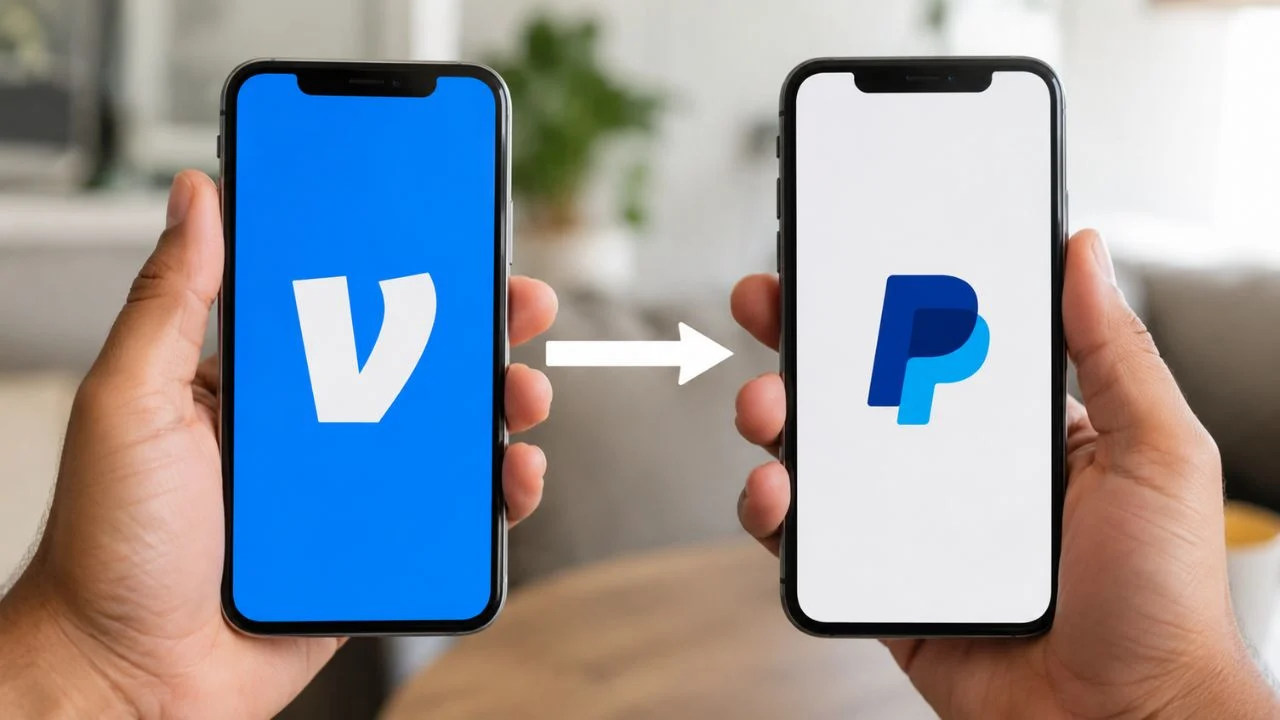

Can I Transfer Money from Venmo to PayPal? Fees, Steps, and Transfer Times
Venmo and PayPal are two popular digital payment services, but moving money between them has historically been confusing. Older online guides often claim that direct transfers are impossible and recommend sending the money through a bank account. That information is no longer completely accurate because the platforms now support certain cross-platform payments.
So, can I transfer money from Venmo to PayPal? You can now use Venmo to send a personal payment directly to an eligible PayPal user. You normally find the recipient by entering the full phone number connected to their PayPal account and then complete the transaction inside the Venmo app.
There is an important difference between paying another person and moving money between accounts you personally own. Venmo does not allow users to pay themselves or use personal payments simply to move money between their own payment methods. To transfer your own Venmo balance to your own PayPal balance, you may still need a shared bank account or eligible debit card.
Transfer availability, fees, limits, and processing times can depend on the funding source, identity verification, recipient location, and account status. Checking the information displayed inside the app before confirming a payment is essential. This guide explains the direct option, the bank method, possible charges, and the safest way to complete the transfer.
Can You Transfer Money Directly from Venmo to PayPal?
Yes, Venmo users can now send payments directly to eligible PayPal users. This cross-platform payment feature is available in the United States and a growing number of international markets. It removes the need to use a bank account as an intermediary when you are paying another person.
To send money from Venmo to PayPal, you search for the recipient using the phone number associated with their PayPal account. The recipient must also allow PayPal users to appear in Venmo search results. When the correct account appears, you can enter the amount, select a payment method, and review the transaction.
Although payments can be sent between the services, cross-platform payment requests are not currently supported. A PayPal user cannot send a normal request to a Venmo user through this feature, and a Venmo user cannot request money from someone on PayPal. The sender must begin the payment manually.
The availability of this option represents a major change from the older Venmo-to-PayPal transfer process. Previously, the most dependable method involved withdrawing money to a bank and then adding it to PayPal. That bank workaround remains useful when direct payment is unavailable or when you are moving your own money.
How Venmo-to-PayPal Payments Work
A direct Venmo-to-PayPal transfer works like a person-to-person payment rather than a traditional account withdrawal. The sender begins the transaction inside Venmo and chooses an eligible PayPal user as the recipient. Once completed, the payment becomes available in the recipient’s PayPal account.
The two accounts do not need to be permanently linked for this type of payment. In fact, you cannot add a PayPal account directly as a standard bank or card inside your Venmo wallet. The services communicate through their cross-platform payment system while the accounts remain separate.
The recipient’s verified phone number plays an important role in finding the correct account. PayPal users can control whether people on Venmo can find them through search privacy settings. When visibility is disabled, their PayPal account may not appear even when the sender enters the correct number.
Direct payments are intended for transactions between separate individuals. They should not be used to shift funds between two accounts belonging to the same person. When you want to move your personal Venmo balance into your own PayPal balance, use the linked-bank method described later in this guide.
How to Send Money from Venmo to a PayPal User
Begin by opening the latest version of the Venmo app and signing in to your account. Select the option used to pay or request money, and enter the full phone number connected to the recipient’s PayPal account. Avoid searching only by a common name because it may produce several unrelated accounts.
Review the search results carefully and identify the recipient marked as a PayPal user. Confirm their displayed name and profile information with them before proceeding. When possible, ask the recipient to send their exact PayPal-associated phone number through a separate, trusted communication method.
Enter the amount you want to send and add a clear payment note. Choose your Venmo balance, linked bank account, debit card, or another available funding source. Examine the final screen for the recipient’s identity, amount, currency, payment method, exchange rate, and any applicable transaction fee.
Confirm the payment only after every detail is correct. Within the United States, a successfully completed cross-platform payment will normally appear in the recipient’s PayPal account immediately. You can review its status by opening your Venmo transaction history and selecting the relevant payment.
What Does the PayPal Recipient Need to Do?
The recipient needs an eligible PayPal account with a confirmed phone number. That phone number must be the same one the sender enters into Venmo search. Incorrect, outdated, or unconfirmed contact information may prevent the PayPal profile from appearing in the results.
The PayPal user may also need to adjust their search privacy settings. These controls determine whether people using Venmo can locate the PayPal account through its phone number. If the recipient prefers not to remain searchable after receiving the payment, they can review and change the setting again.
When the payment is successfully completed, it should appear in the recipient’s PayPal activity and available balance. Depending on their account setup, the recipient can keep the money in PayPal, use it for another payment, make an eligible purchase, or withdraw it to a connected bank account.
If the recipient cannot see the funds, both people should compare the payment status and recipient details. A payment marked completed has already been sent, while a pending payment may still be undergoing bank clearance or a security review. The recipient should also verify that they are checking the correct PayPal account.
Can You Transfer Your Own Venmo Balance to Your PayPal Account?
Venmo personal payments are designed for payments between different individuals. The service does not permit users to pay themselves or use Venmo to move money between two of their own payment methods. Therefore, sending a cross-platform payment directly to your own PayPal account may not be an appropriate transfer method.
A safer option is to connect an eligible bank account to both Venmo and PayPal. First, transfer the Venmo balance to your bank. After the money arrives, you can add it to your PayPal balance from that bank or use the linked bank directly as a PayPal payment method.
You may also be able to use an eligible debit card connected to the same bank. Venmo can send an instant withdrawal to certain participating debit cards, while PayPal may allow money to be added from an eligible Visa or Mastercard debit card. Eligibility is determined by the card issuer and each platform.
Do not create a second Venmo profile, use another person’s account, or disguise a self-transfer as a personal payment. Such activity may trigger security reviews, payment declines, restrictions, or account limitations. Using a verified bank account creates a clearer and more reliable movement of funds between your personal accounts.
How to Transfer Venmo Money to PayPal Through a Bank
First, make sure the same eligible bank account is added and verified separately on Venmo and PayPal. Check the routing number and account number carefully when adding the bank manually. The name registered with the bank should also match the identity information on your payment accounts.
Open Venmo, go to the wallet or balance section, and choose the transfer option. Enter the amount you want to withdraw and select either a standard bank transfer or an instant transfer. Review the destination account, expected arrival time, and fee before submitting the withdrawal.
Once the money reaches your bank, open PayPal and go to your wallet. Select the option to transfer or add money, choose the linked bank or eligible debit card, and enter the required amount. PayPal will display the available processing options before you confirm the transaction.
Keep in mind that you do not always need to add money to your PayPal balance before making a payment. PayPal can often fund a purchase or personal payment directly from a confirmed bank account or card. Adding money is mainly useful when you specifically want the funds stored in your PayPal balance.
How Long Does a Venmo-to-PayPal Transfer Take?
A direct payment from Venmo to a PayPal recipient within the United States is usually completed immediately. After Venmo marks the transaction as completed, the PayPal user should generally see the funds without waiting for a separate bank transfer. Minor delays can still occur during security or account reviews.
International cross-platform payments may take slightly longer because the transaction can involve different currencies, account requirements, and local processing systems. Many approved payments arrive within a few minutes, but the precise timing varies by destination. The app should display the payment status throughout the process.
A standard withdrawal from Venmo to a bank typically takes between one and three business days. Transfers made late in the evening, on weekends, or during U.S. bank holidays may begin processing on the next business day. Automated security reviews can occasionally extend the expected arrival time.
After the bank receives the money, adding funds from the bank to PayPal may take three to five business days. An eligible debit-card addition may be available within seconds, depending on the account and card. As a result, the complete bank workaround may take several days when only standard methods are used.
Venmo-to-PayPal Transfer Fees
There is generally no fee for sending a direct Venmo-to-PayPal payment within the United States when you fund it with your Venmo balance, linked bank account, or eligible debit card. The final confirmation screen should show no transfer charge when the payment qualifies for the free domestic option.
A fee normally applies when a personal Venmo payment is funded with a credit card. The card issuer may also treat a person-to-person transaction as a cash advance, potentially adding another fee or a higher interest rate. A bank account, debit card, or available balance is usually the less expensive choice.
International payments may include a cross-border charge and currency conversion costs. The exchange rate presented by the platform can contain a conversion spread, meaning it may differ from the mid-market exchange rate. Venmo should display the total fee and converted amount before you authorise the transfer.
The bank workaround has its own possible costs. A standard Venmo bank transfer is free, while an instant transfer currently carries a percentage-based fee with minimum and maximum charges. PayPal will show any applicable charge for adding or moving money before the transaction is completed.
Venmo-to-PayPal Transfer Limits
Venmo payment limits depend partly on whether you have completed identity verification. An unverified personal profile has a much lower weekly spending limit, covering person-to-person payments and eligible merchant transactions. Completing verification may significantly increase the amount you are allowed to send.
Verified users may be able to send up to $60,000 per week through Venmo, although individual payments can still be declined. Limits may vary according to account history, transaction activity, security reviews, and other risk controls. Your app provides the most relevant limit for your specific account.
International Venmo-to-PayPal payments have additional restrictions. The published limits may include up to $2,500 per transaction, $5,000 per day, $10,000 per week, and $25,000 per month. Other account, regional, or regulatory restrictions may lower the amount you can actually send.
The limits for withdrawing a Venmo balance to a bank are different from ordinary payment limits. A verified personal account may transfer up to $5,000 in one bank transaction and up to $19,999.99 within a rolling week. Unverified accounts have a substantially lower weekly bank-transfer allowance.
Why Can’t I Find the PayPal User on Venmo?
The most common explanation is an incorrect or incomplete phone number. Venmo currently relies on the full number associated with the recipient’s PayPal account when locating cross-platform users. Ask the person to check their PayPal profile instead of relying on a number saved in your contacts.
The recipient’s search privacy setting may also prevent their profile from appearing. PayPal users can choose whether people on Venmo are allowed to find them. The recipient may need to open PayPal’s privacy controls and temporarily enable visibility for cross-platform search.
The feature may not yet be supported in the sender’s or recipient’s market. Venmo accounts themselves are designed for eligible U.S. users, while PayPal operates in many more countries. Cross-border payments only work in participating markets that support eligible personal transactions.
An outdated app, incomplete identity verification, account restriction, or unconfirmed phone number may also interfere with search. Update both apps, review notifications, and complete any requested account steps. When the problem remains, contact official Venmo or PayPal support rather than using a third-party transfer service.
Why Is My Venmo-to-PayPal Payment Pending?
A bank-funded payment may remain pending while Venmo waits for the bank to clear the transaction. Certain bank payments can require three to five business days before the recipient receives the money. Using an eligible debit card or an available Venmo balance may reduce this type of delay.
Security reviews can also place a payment in a pending state. Digital payment platforms monitor unusual amounts, new devices, rapid transactions, location changes, and other risk signals. A review does not always mean you did something wrong, but support teams may be unable to accelerate the automated process.
Check your Venmo transaction feed for an estimated completion date or an account notification. Do not send the payment again simply because the first transaction has not arrived immediately. A duplicate payment may also complete later, causing the recipient to receive twice the intended amount.
When a transfer remains pending beyond the displayed timeframe, confirm that your bank did not reject the funding request. You should also check for identity-verification messages or account restrictions. Contact Venmo through its official in-app support options when the transaction status does not update.
What Happens If You Send Money to the Wrong PayPal User?
Most Venmo payments are completed immediately and cannot be cancelled after being sent. This makes recipient verification particularly important when sending money across platforms. A single incorrect digit in a phone number can direct the payment to a completely different account.
Before paying, compare the displayed recipient name with information provided by the person you intend to pay. For a large transaction, consider sending a small test payment first and asking the recipient to confirm its arrival. You can then send the remaining amount after verifying the connection.
When money has already gone to the wrong account, open the transaction and check whether a cancellation option appears. Completed payments generally cannot be reversed by the sender. Contact the recipient politely and ask them to return the money, but avoid sending additional funds for any supposed refund fee.
Report the mistake to Venmo support as soon as possible and provide accurate transaction details. Recovery is not guaranteed, especially when the payment was authorised and completed. Never share your password, one-time verification code, bank login, or remote device access with anyone offering to recover the payment.
Is It Safe to Send Money Between Venmo and PayPal?
The official cross-platform feature is generally safer than using an unknown intermediary because the payment remains within Venmo and PayPal’s systems. However, the transaction can still be irreversible. You should treat it with the same care as handing cash directly to another person.
Confirm the recipient’s number and identity outside the payment app before sending money. Be particularly cautious when someone unexpectedly claims that you owe them money or must transfer funds urgently. Pressure, secrecy, unusual payment instructions, and promises of guaranteed profit are common warning signs.
No legitimate support representative should ask you to send money to verify, upgrade, unlock, or protect your account. Do not disclose text-message codes, card PINs, account passwords, or bank credentials. Access customer support only through the official Venmo or PayPal app and website.
Use a strong, unique password and enable multi-factor authentication on both accounts. Review your transaction history, linked payment methods, phone number, and privacy settings regularly. If you see an unfamiliar payment or login, secure the account immediately and report the activity through the appropriate dispute channel.
Direct Transfer vs Bank Transfer: Which Method Is Better?
A direct cross-platform payment is usually the quickest choice when you are sending money to another person. It may arrive immediately within the United States and does not require the recipient to wait for multiple bank transactions. It is also normally free when funded with a balance, bank, or debit card.
The bank method is more appropriate when you are moving your own Venmo funds to your own PayPal balance. It creates a legitimate transfer path without sending a personal payment to yourself. The trade-off is that standard bank processing may take several business days.
A bank transfer can also help when the recipient is not searchable, cross-platform payments are unavailable in their region, or the direct transaction is repeatedly declined. The recipient could alternatively provide their bank details through a secure method, although both parties must be comfortable with that arrangement.
The best option therefore depends on who owns the receiving account. Use direct Venmo-to-PayPal payment for another eligible individual, but use a shared bank or eligible debit card for your own accounts. Always compare the speed, fee, currency conversion, and recipient details before confirming.
Common Mistakes to Avoid
Do not follow older instructions without first checking the current app. Many articles still say that Venmo cannot send money directly to PayPal because that was true before cross-platform payments became available. Using outdated guidance could add unnecessary transfer time and fees.
Avoid trying to link a PayPal account or PayPal card directly inside Venmo as though it were a normal payment method. Venmo does not currently support adding the PayPal account itself to the Venmo wallet. Cross-platform payments use recipient search rather than permanent account linking.
Never assume that a payment can be cancelled after you press send. Confirm the phone number, recipient name, amount, currency, and payment note before authorisation. This extra review is especially important for international payments, where currency conversion may change the total cost.
Do not repeatedly retry a declined or pending transaction without understanding its status. Multiple attempts can create duplicate payments or trigger additional security reviews. Check your transaction feed, bank activity, account limits, and verification status before trying a different payment method.
Final Verdict: Can I Transfer Money from Venmo to PayPal?
Yes, you can now send money from Venmo directly to an eligible PayPal user. Search for the recipient using the full phone number associated with their PayPal account, enter the payment amount, choose a funding method, and carefully review the details before completing the transaction.
Domestic U.S. payments are typically immediate and usually have no fee when funded by a Venmo balance, bank account, or debit card. Credit-card payments may carry a fee, while international transfers can involve cross-border charges, conversion spreads, and additional transaction limits.
You should not use the direct payment feature to send money to your own PayPal account. Venmo personal payments are intended for separate individuals. To move your own Venmo balance, withdraw it to a linked bank or eligible debit card and then add or use those funds through PayPal.
Because platform features and limits can change, review the information displayed in the app at the time of payment. Confirm the recipient independently, avoid rushed transactions, and use only official support channels. These steps can make your Venmo-to-PayPal money transfer faster, safer, and less expensive.
Frequently Asked Questions
Can I link my Venmo account directly to PayPal?
No, you cannot add your PayPal account directly as a standard payment method inside Venmo. However, eligible users can send cross-platform payments without permanently linking the two accounts.
Can I transfer my own Venmo balance to my own PayPal?
Do not send a Venmo personal payment to yourself. Transfer the balance to a linked bank or eligible debit card first, and then add or use the money through PayPal.
Is it free to send money from Venmo to PayPal?
Domestic U.S. payments are generally free when funded by your Venmo balance, bank account, or debit card. Credit-card and international payments may include additional fees.
How quickly does Venmo money arrive in PayPal?
A completed U.S. cross-platform payment normally arrives immediately. Bank-funded payments, international transfers, and transactions undergoing review may take longer.
Why can’t I see a PayPal account in Venmo search?
The phone number may be incorrect, the recipient may have disabled cross-platform search, or the feature may be unavailable for that account or region. Ask the recipient to check their PayPal privacy settings.