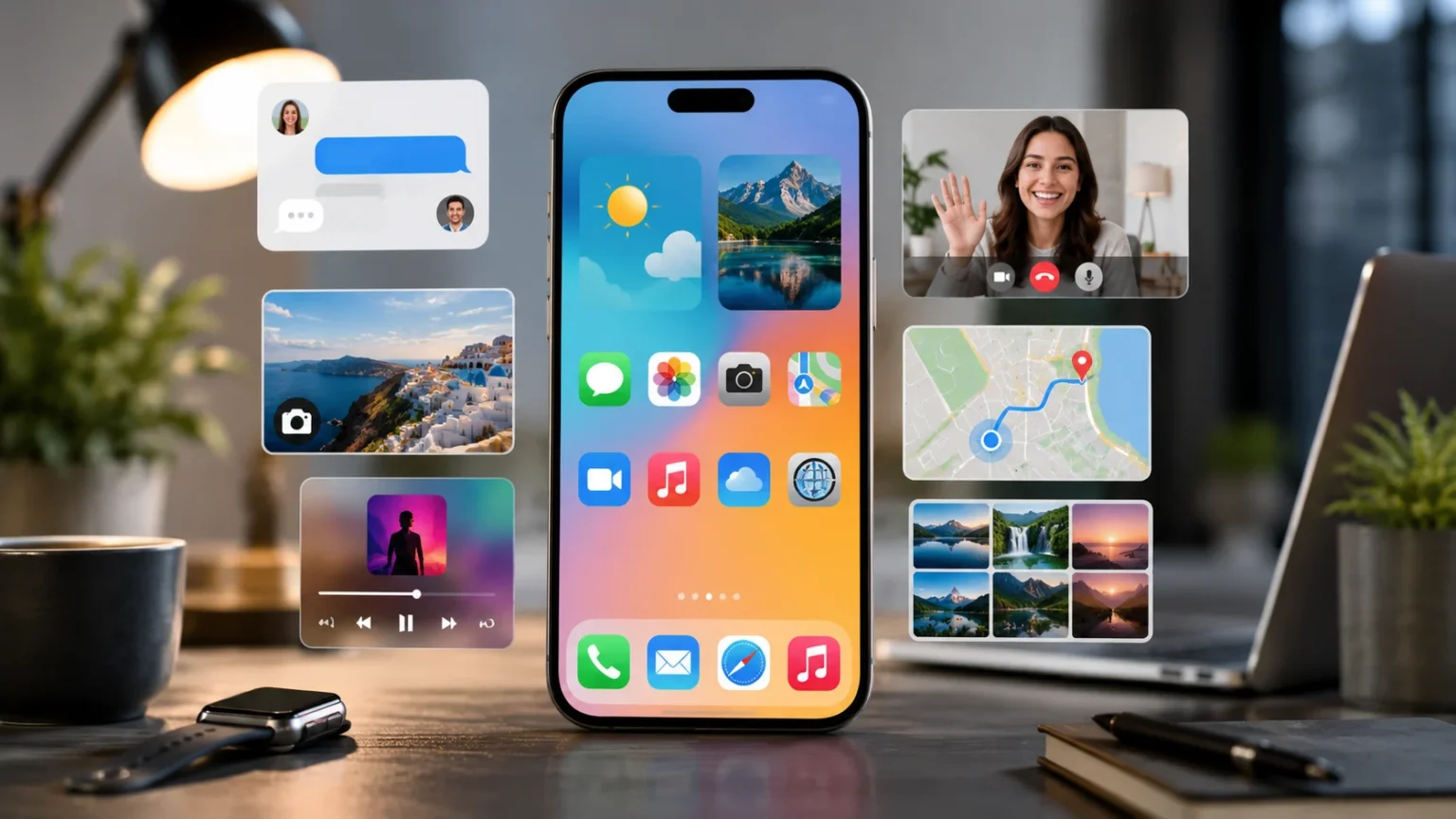

What Is a Smartphone? Features, Uses & Examples
Smartphones have become some of the most widely used computing devices in everyday life, combining communication, internet access, photography, entertainment, navigation, payments, productivity, and countless other functions inside a device small enough to fit in a pocket. Unlike traditional mobile phones that focused mainly on voice calls and text messages, a smartphone works much more like a compact computer. It runs a mobile operating system, connects to cellular and Wi-Fi networks, installs applications, stores files, and uses sensors to interact with the physical world. Modern models can also perform increasingly sophisticated artificial-intelligence tasks, edit high-resolution video, run demanding games, and connect with watches, earbuds, cars, computers, and smart-home devices.
The smartphone market includes affordable entry-level devices, mainstream midrange phones, premium flagship models, rugged devices, gaming phones, and foldable designs. Android powers smartphones from many manufacturers and is designed for multiple device form factors, while Apple’s iPhone uses the company’s iOS ecosystem. Google describes Android as an operating system and software stack built for phones and many other connected devices. Meanwhile, current iPhones combine mobile communication with cameras, apps, satellite-related services on supported models, accessibility features, and AI-assisted capabilities. This guide explains what a smartphone is, how it works, its main features, common uses, different types, examples, benefits, limitations, and what to consider before buying one.
What Is a Smartphone?
A smartphone is a portable mobile device that combines traditional telephone functions with advanced computing capabilities. It can make voice calls and send messages like an ordinary mobile phone, but it can also access the internet, install applications, capture photos and video, navigate with GPS, play media, store documents, and connect with online services. NIST broadly defines mobile devices as portable computing devices that can operate wirelessly, contain data storage, use their own power source, and may include voice communication and onboard sensors. Smartphones fit comfortably within that definition because they combine wireless communication, computing, storage, sensors, and battery power in one compact device.
The main feature separating smartphones from older basic or feature phones is their advanced operating system. A smartphone operating system manages the hardware, applications, files, connectivity, notifications, security, and user interface. Android and iOS are the two most familiar smartphone operating systems today, although other platforms have existed historically. Google describes Android as an operating system used across many types of devices and manufacturers. An operating system allows developers to build sophisticated applications that users can install for banking, messaging, video streaming, productivity, health tracking, navigation, shopping, gaming, and thousands of other purposes.
Most modern smartphones use a large touchscreen as their primary interface. Instead of relying mainly on physical number buttons, users interact with icons, menus, keyboards, photographs, maps, and applications by tapping, swiping, pinching, and holding areas of the screen. Touchscreens allow the same physical display to become a keyboard, camera control panel, gaming interface, navigation system, document editor, or video player depending on the application being used. Many phones also include haptic feedback that creates small vibrations when users interact with certain controls. This combination of touch, visual information, audio, and vibration helps make a compact device flexible enough to perform many different computing tasks.
Smartphones also differ from traditional phones because they remain continuously connected to digital services. Cellular networks provide voice and mobile data, while Wi-Fi allows phones to use local internet connections. Bluetooth connects accessories such as headphones, smartwatches, car systems, keyboards, and health devices. NFC may support contactless payments, access cards, device pairing, and other short-range interactions. GPS and related satellite-navigation technologies help determine location for maps and navigation. These connectivity options transform the phone from an isolated communication device into a central part of a larger digital ecosystem involving cloud services, accessories, vehicles, computers, and other connected products.
The easiest smartphone definition is therefore a pocket-sized computer that also functions as a mobile telephone. The word “phone” remains part of the name because calling was historically the device’s primary purpose, but many people now spend far more time using applications, cameras, messaging, browsers, maps, social platforms, and media than making traditional voice calls. Modern smartphones can perform work that once required several separate products, including a camera, GPS navigator, music player, calculator, alarm clock, flashlight, scanner, voice recorder, and portable game system. That combination of communication and general-purpose computing is what makes a smartphone fundamentally different from a conventional mobile phone.
How Does a Smartphone Work?
A smartphone works through a combination of hardware, operating-system software, wireless networks, and applications. At the center of the hardware is the system-on-a-chip, often called an SoC, which typically combines the main processor with graphics, memory controllers, AI-related processing components, image-processing hardware, and other functions. When a user opens an application, the operating system allocates processor power, memory, storage access, and other resources so the program can run. Modern smartphone chips are extremely capable, allowing pocket-sized devices to perform photography processing, gaming, video editing, language translation, machine learning, and many tasks once limited to larger computers.
The operating system acts as the layer between the user, applications, and physical hardware. When someone taps the camera icon, for example, the operating system helps the application communicate with the camera sensors, processor, screen, microphone, storage, and other components. It also manages background processes, battery use, permissions, security controls, wireless connections, notifications, and updates. Android provides a common software foundation across many manufacturers while still allowing significant differences in hardware and interface design. Google notes that Android-powered devices can differ in appearance and hardware while retaining a shared operating-system foundation and application ecosystem.
Cellular communication allows smartphones to connect with mobile networks through antennas and a modem built into the device. A SIM card or eSIM identifies the subscriber relationship with a compatible carrier, while the network provides access to calling, messaging, and mobile data according to the user’s service plan. Modern phones may support several cellular generations depending on hardware and region, including 4G LTE and 5G. When a user streams a video or opens a website over mobile data, information travels between the phone, nearby cellular infrastructure, the carrier’s network, and internet services. Wi-Fi provides an alternative route through a local wireless network.
Smartphones also rely extensively on cloud computing. Photos can synchronize with online storage, messages may appear across several devices, documents can be edited collaboratively, and application data can follow users when they replace a phone. Cloud services also support backups, email, streaming, navigation, social networking, and online productivity tools. However, phones still contain significant local storage so applications and files can remain available without constant internet access. The balance between local and cloud processing varies by application. Some AI features run directly on the smartphone for speed or privacy, while others send requests to remote servers capable of performing more computationally intensive tasks.
Sensors allow smartphones to respond to their surroundings. An accelerometer detects movement, a gyroscope measures rotation, proximity sensors can determine when the phone is near the user’s face, and ambient-light sensors help adjust display brightness. GPS-related hardware provides location information, microphones capture sound, and camera sensors collect visual data. Some phones include barometers, depth sensors, ultra-wideband technology, fingerprint readers, face-authentication hardware, or other specialized components. Software combines these sensor readings to enable features such as automatic screen rotation, fitness tracking, augmented reality, navigation, photography, security, and device finding. A smartphone therefore works by continuously coordinating many small computing and sensing systems inside one device.
Key Features of a Smartphone
The touchscreen display is one of the most recognizable smartphone features. Modern displays can provide high resolutions, strong brightness, wide color ranges, and fast refresh rates that make scrolling and animation feel smooth. Screen size influences how comfortable a phone feels for reading, gaming, watching video, or carrying in a pocket. Premium smartphones increasingly use advanced OLED display technologies, while lower-priced devices can still provide excellent viewing experiences using a variety of panel types. Foldable smartphones take this idea further by using flexible displays that open into larger screens. Whatever the design, the display serves as both the main output device and the primary method of user input.
Cameras have become another defining feature. Most modern smartphones include several camera components that may cover standard, wide-angle, telephoto, macro, or depth-related functions depending on the model. Computational photography allows software and dedicated image-processing hardware to combine multiple exposures, improve low-light images, stabilize video, identify subjects, and adjust color automatically. Front-facing cameras support video calls, selfies, and sometimes face authentication. Smartphone photography has become sophisticated enough that many people no longer carry a separate compact camera. Current flagship phones also emphasize AI-assisted photo editing, subject recognition, and computational video capabilities.
Applications greatly expand what a smartphone can do. Users can install apps for messaging, finance, productivity, navigation, food delivery, transportation, entertainment, health, education, travel, shopping, photography, and countless specialized tasks. Google describes the Play Store as the central source for apps across compatible Android devices and notes that application compatibility is checked against the user’s device and operating-system version. Apple’s iPhone similarly uses an extensive application ecosystem built around iOS. Applications turn the smartphone into a customizable platform, allowing two people with identical hardware to configure their devices for completely different needs.
Security features are another major part of modern smartphones. Devices can use PINs, passwords, fingerprints, facial recognition, encrypted storage, secure hardware, application permissions, and remote-device controls to protect information. Operating-system updates fix vulnerabilities and introduce additional protections over time. Android devices perform checks intended to verify that the operating system comes from a trusted source and has not been unexpectedly modified or corrupted. Modern smartphones also support multi-factor authentication for online accounts and can store passkeys or other credentials. Because phones increasingly contain financial, personal, and professional information, security is now a core smartphone capability rather than an optional extra.
Connectivity completes the modern feature set. Smartphones typically include cellular data, Wi-Fi, Bluetooth, GPS, USB connectivity, and often NFC. Many current devices also integrate closely with smartwatches, laptops, tablets, headphones, televisions, vehicles, and home-automation platforms. Some newer models offer satellite-related communication capabilities for specific situations where conventional cellular or Wi-Fi connectivity is unavailable. Apple, for example, currently promotes supported iPhone satellite features for messaging and certain emergency or roadside-assistance situations. These connectivity options make the modern smartphone much more than a self-contained device; it acts as a portable hub connecting users with services, people, and other technology.
Common Uses of Smartphones
Communication remains one of the most important uses of smartphones, although communication now extends far beyond ordinary phone calls. Users can send SMS messages, participate in group chats, make video calls, exchange voice messages, share photographs, and communicate through workplace collaboration platforms. Internet-based messaging has made international communication far easier because people can use Wi-Fi or mobile data instead of relying only on traditional carrier services. Smartphones also manage email, calendars, contacts, and notifications, allowing personal and professional communication to occur through one portable device. For many people, the smartphone is the primary way they remain connected with friends, family members, colleagues, customers, and online communities.
Internet access is another fundamental use. Mobile browsers allow people to research information, read news, manage accounts, shop online, complete government services, compare prices, book travel, and access web applications from almost anywhere with connectivity. Smartphones are particularly important in areas where many people access the internet primarily through mobile devices rather than personal computers. Google specifically positions Android Go as an operating-system configuration intended to provide reliable smartphone experiences on entry-level hardware with tighter memory and storage constraints. Affordable smartphones have therefore helped expand access to online education, communication, financial services, and digital information in many markets.
Entertainment represents a huge portion of everyday smartphone activity. People use phones to stream movies, watch short-form videos, listen to music and podcasts, play games, read books, browse social media, and follow live events. High-resolution screens, powerful processors, stereo speakers, wireless headphones, and high-speed mobile networks have made smartphones capable media devices. Mobile gaming ranges from simple puzzle titles to sophisticated games with advanced graphics and online multiplayer functionality. Cloud gaming can extend capabilities further by running games on remote servers while streaming the experience to the phone. The smartphone has consequently replaced several dedicated entertainment devices for many users.
Smartphones have also become powerful productivity tools. Employees can read and edit documents, attend video meetings, approve business workflows, scan paperwork, manage calendars, communicate with teams, access cloud applications, and respond to customers without sitting at a desk. Mobile banking and payment applications allow users to transfer money, pay bills, deposit checks where supported, and review transactions. Businesses can operate point-of-sale systems, manage inventory, capture signatures, and communicate with field employees through smartphones. These capabilities are particularly valuable for sales teams, delivery workers, healthcare professionals, technicians, freelancers, and other people whose jobs involve working away from traditional offices.
Navigation and daily-life assistance provide additional important uses. Mapping applications can calculate routes, estimate travel time, identify traffic congestion, find nearby businesses, and provide walking or public-transit directions. Smartphone cameras can scan QR codes and documents, while digital wallets can store supported payment cards, tickets, passes, or other credentials. Health applications track exercise, sleep, medication reminders, and wellness information, often in coordination with wearable devices. Accessibility tools can provide screen reading, magnification, voice control, captions, hearing-related features, and alternative methods of interaction. Current iPhones, for example, include built-in accessibility options such as VoiceOver and support for alternative navigation methods.
Types of Smartphones and Mobile Operating Systems
Android smartphones make up a broad and diverse category because many manufacturers build devices using Google’s Android platform. Google describes Android as an operating system designed for different form factors and manufacturers, allowing companies to build their own devices while using a shared software foundation. Android phones range from low-cost models designed for basic communication to premium flagships with advanced cameras, foldable displays, stylus support, AI features, and powerful processors. Manufacturers can customize interfaces and add their own hardware capabilities, which creates significant variety. This makes Android attractive to users who want broad choices in price, design, screen size, battery capacity, and specialized features.
Apple’s iPhone represents the other major smartphone ecosystem. iPhones run iOS and are designed around close integration between Apple’s hardware, operating system, services, and accessories. Current models connect with products such as Apple Watch, AirPods, Mac computers, and iCloud services, creating a tightly coordinated ecosystem. Apple also increasingly integrates AI-assisted features and satellite-related services into supported phones. Unlike Android, which is licensed and adapted by many manufacturers, iOS is primarily used on Apple’s own iPhones. Buyers often choose between Android and iPhone based not only on individual hardware but also on which software ecosystem and connected devices they already prefer.
Entry-level smartphones focus on affordability and essential features. They generally provide calling, messaging, web access, social applications, basic cameras, navigation, and common productivity functions while using less expensive processors, displays, storage, and camera hardware. Android Go specifically targets lower-memory smartphones by adjusting the operating-system experience for hardware with tighter resource constraints. These devices can be excellent choices for children, secondary phones, budget-conscious buyers, or people whose needs do not justify premium hardware. However, buyers should still examine update support, battery quality, storage capacity, and network compatibility rather than choosing entirely according to purchase price.
Flagship smartphones represent the premium end of the market. They typically include the manufacturer’s fastest processors, best cameras, brightest displays, higher-quality materials, advanced wireless technology, and longer software-support commitments. Premium devices may also introduce new features before they reach lower-priced phones. Samsung currently describes models across its Galaxy range, from mainstream devices to premium and foldable models, as Android-based smartphones with different feature levels. Apple’s flagship iPhone models similarly emphasize high-performance chips, advanced cameras, AI-assisted software, and integration with the company’s broader ecosystem.
Specialized smartphones include foldables, gaming phones, rugged phones, camera-focused devices, and business-oriented models. Foldable smartphones use flexible screens to offer either compact designs that unfold vertically or larger phone-tablet hybrids that open horizontally. Gaming models may prioritize cooling, high-refresh displays, large batteries, and extra controls, while rugged phones emphasize impact resistance and field use. Some enterprise devices focus more strongly on management and security. These categories demonstrate that smartphone types are increasingly defined by specific user needs rather than only price. The best category depends on whether someone values portability, photography, durability, gaming performance, productivity, battery endurance, or another particular capability.
Smartphone Examples You May Recognize
The Apple iPhone is one of the most recognizable smartphone families and provides a clear example of a device built around tight hardware-software integration. Current iPhones use Apple’s iOS platform and include capabilities such as mobile apps, advanced cameras, FaceTime, messaging, accessibility tools, device-location services, and integration with Mac computers and Apple Watch. Apple’s current iPhone lineup also emphasizes Apple Intelligence features on compatible models, including writing assistance, visual intelligence, and live translation in supported contexts. The iPhone demonstrates how a smartphone can act as the center of a larger ecosystem involving cloud services, computers, watches, earbuds, and other products.
Samsung Galaxy smartphones are another prominent example and illustrate the diversity available within Android. Samsung currently offers Galaxy phones ranging from mainstream models to premium Galaxy S and foldable Galaxy Z devices, all using Android as their underlying operating system. The company’s smartphones typically combine Samsung’s interface and hardware features with Google’s Android services and application ecosystem. Depending on the model, users may find multi-camera systems, stylus-related functions, foldable screens, AI capabilities, desktop-style connectivity, and advanced displays. This demonstrates how manufacturers can differentiate devices significantly while still using the same broad Android platform.
Google Pixel phones provide another Android example because Google develops both the Pixel hardware family and the Android operating-system ecosystem behind it. Pixel devices commonly emphasize Google’s software experience, photography algorithms, AI capabilities, security updates, and direct integration with Google services. Android itself supports features and applications across multiple manufacturers, while Google’s own devices provide one interpretation of how that software can be combined with hardware. This relationship is different from Apple’s because Android is also used extensively by other manufacturers instead of being restricted to Google’s own smartphone line.
Other manufacturers produce smartphones for different price levels and geographic markets, contributing to the extraordinary variety of Android hardware. Buyers may encounter devices emphasizing camera quality, charging speed, battery size, affordability, thin design, gaming performance, or durability. This competition allows consumers to choose phones closely matched to their budgets and priorities. However, not every Android smartphone receives identical software features or the same length of update support because manufacturers determine significant parts of the hardware and support experience. The shared operating system therefore creates compatibility across many devices while still allowing substantial differences in design, performance, cameras, software customization, and long-term maintenance.
A smartphone example does not need to be a premium flagship. An inexpensive Android Go device that handles calls, messaging, navigation, video, social apps, and mobile payments still meets the basic smartphone meaning because it runs a general-purpose mobile operating system and supports advanced applications beyond traditional telephony. Likewise, a rugged field device used by construction crews or logistics employees is still a smartphone even if durability matters more than photography. The category is defined by mobile computing capabilities rather than brand or price. Current smartphones therefore range from simple affordable devices to sophisticated foldables and flagship computers capable of demanding creative and professional work.
Benefits of Smartphones
Convenience is one of the biggest benefits of smartphones because one portable device can replace or complement numerous specialized products. A smartphone can function as a telephone, camera, GPS navigator, calculator, flashlight, alarm clock, music player, video player, voice recorder, scanner, calendar, notebook, payment device, and web browser. Instead of carrying several devices, users can access these tools through one familiar interface. The value becomes even greater when applications synchronize information through cloud services, allowing photos, documents, messages, and contacts to remain accessible across several devices. For many people, the smartphone has become the most frequently used general-purpose computer they own.
Communication becomes faster and more flexible through smartphones. A person can move between voice calls, text messages, video conversations, email, group messaging, and collaboration applications according to what a situation requires. International families can communicate through internet-based apps, while remote teams can discuss projects and attend meetings from different locations. Smartphones also make emergency communication easier because people usually carry them throughout the day. Certain modern devices add safety-oriented functions that can extend communication options beyond ordinary mobile coverage in supported circumstances. Apple, for example, currently offers satellite-related communication and emergency features on compatible iPhones.
Access to information is another major advantage. Students can research topics, watch educational videos, use language-learning applications, access digital textbooks, and communicate with teachers from a handheld device. Travelers can translate phrases, review maps, convert currencies, and check reservations while moving between locations. Workers can access documentation and cloud applications in the field instead of returning to an office. Affordable Android configurations have also been designed specifically to bring modern smartphone capabilities to lower-resource hardware, widening access to mobile computing. The smartphone’s combination of portability and connectivity has therefore played a major role in expanding everyday access to digital services.
Smartphones also support financial and commercial activity. Users can shop online, manage bank accounts, transfer money, receive payment notifications, use supported contactless payment systems, order transportation, and purchase tickets without visiting physical locations. Small businesses can communicate with customers, photograph products, manage social media, issue invoices, accept supported payments, and coordinate employees from smartphones. In regions where traditional banking infrastructure is limited, mobile financial tools can become particularly important. However, this convenience also makes smartphone security critical because compromising a device may expose access to email, payment services, account-recovery systems, and other sensitive information.
Personalization is another advantage. Users can install applications, rearrange home screens, choose notification behavior, connect accessories, configure accessibility features, and adjust privacy or security settings according to their needs. Android is particularly known for offering hardware and interface variety across many manufacturers, while Apple’s ecosystem emphasizes consistency across the company’s devices. Neither approach is universally better because different users value different levels of customization and integration. The broader benefit is that smartphone technology can adapt to many roles, from a child’s communication device to a professional camera, mobile office, navigation system, accessibility tool, or entertainment center.
Limitations, Risks and Disadvantages of Smartphones
Distraction is one of the most commonly experienced disadvantages of smartphones. Notifications, social media, messaging, games, video platforms, and constant internet access can compete for attention throughout the day. The problem is not that every smartphone application is inherently harmful, but that many services are designed to encourage repeated engagement. Frequent interruptions can make concentrated work, study, driving, or face-to-face conversations more difficult. Users can reduce distraction by limiting notifications, using focus modes, establishing device-free periods, or removing applications that consistently consume more attention than they provide value. Smartphones are powerful tools, but their convenience makes deliberate usage habits increasingly important.
Privacy presents another challenge because smartphones can contain or generate highly personal information. Devices may store contacts, photographs, messages, documents, account credentials, location history, browsing information, and financial applications. Apps can request access to microphones, cameras, location, photos, contacts, or other sensitive capabilities depending on their purpose. Users should review permissions rather than automatically approving every request and should understand how important applications handle data. Operating systems increasingly provide privacy controls, but those tools still require users and developers to make appropriate choices. A device that follows someone everywhere naturally becomes a particularly sensitive source of personal information.
Security risks include malicious applications, phishing, account theft, lost devices, insecure networks, and outdated software. Strong screen locks, biometric authentication, multi-factor authentication, passkeys where available, software updates, encrypted backups, and device-finding tools can reduce exposure. Google notes that Android checks operating-system integrity during startup and warns users if the system may have been modified or corrupted unexpectedly. Nevertheless, no smartphone platform can eliminate human-targeted attacks completely. A user can still be deceived into entering credentials on a fraudulent website or approving a malicious request. Security therefore depends on both built-in technology and careful user behavior.
Cost can become another disadvantage, particularly at the premium end of the market. Flagship smartphones may require significant upfront spending, and the total ownership cost also includes cellular service, cases, repairs, accessories, cloud storage, and potentially application subscriptions. Modern phones can also be difficult or expensive to repair when screens, batteries, cameras, or internal components are damaged. Buying the most expensive model does not automatically provide better value for every user. Someone primarily using messaging, browsing, maps, and basic photography may receive nearly everything they need from a midrange or entry-level device instead of paying for specialized flagship features.
Environmental impact should also be considered because smartphones require mining, manufacturing, transportation, electricity, and eventual disposal. Frequent upgrades can contribute to electronic waste even when older devices remain functional. Manufacturers increasingly promote recycled materials, repair programs, trade-ins, and longer software-support periods, but consumers also influence the lifecycle by keeping devices longer and recycling them responsibly. Apple, for example, currently highlights material recovery and recycling initiatives across its iPhone business. A longer-lasting phone that receives software updates and has a replaceable or serviceable battery can reduce the need for unnecessary replacement. Sustainability is therefore becoming another factor in smartphone purchasing decisions.
How to Choose the Right Smartphone
Start by deciding how much you can realistically spend because smartphone prices span a very wide range. A budget device may handle messaging, calls, web browsing, maps, social media, and streaming perfectly well, while a flagship adds features such as more advanced cameras, premium displays, faster processors, specialized AI functions, or foldable designs. Rather than comparing phones exclusively according to price, identify which capabilities will meaningfully affect your everyday experience. Spending substantially more for features you rarely use provides little value. At the same time, choosing the absolute cheapest device can become frustrating if insufficient storage, weak performance, or limited update support forces an early replacement.
Operating-system preference is another major decision. An Android smartphone provides choices across numerous manufacturers, price points, hardware designs, and levels of customization. Google notes that Android supports broad hardware diversity while maintaining common applications and operating-system features across the ecosystem. An iPhone may appeal more strongly to someone already using Apple Watch, Mac, AirPods, or other Apple services because the company emphasizes integration between those products. Switching ecosystems is entirely possible, but messaging habits, purchased applications, cloud storage, accessories, and other existing services can influence how convenient that change feels.
Storage should be selected according to how much content you keep locally. Users who stream most media and store photographs in the cloud may need less internal capacity than people who record large amounts of high-resolution video or download many games. Unlike many computers, most modern flagship smartphones do not allow users to upgrade internal storage after purchase, making the original choice important. Cameras also deserve practical evaluation rather than relying solely on megapixel numbers. Lens quality, sensor size, image processing, stabilization, zoom capability, low-light performance, video features, and software all influence the final result. Review sample photographs relevant to how you actually intend to use the camera.
Battery life and charging matter because even a powerful smartphone becomes frustrating if it cannot last through normal daily use. Larger batteries can help, but processor efficiency, display brightness, software optimization, signal strength, gaming, navigation, camera use, and background applications all influence endurance. People who travel frequently or work away from power outlets should prioritize real-world battery testing. Charging speed can also matter, although extremely fast charging does not automatically compensate for weak battery endurance. Buyers should consider whether wireless charging, reverse charging, or compatibility with existing chargers and cables is important to their routine.
Finally, investigate software-support policies, durability, network compatibility, security features, and repair options before purchasing. A smartphone may continue functioning physically for years, but outdated security software can make long-term use less attractive. Check whether the model supports the cellular frequencies and services used by your carrier, particularly when importing devices from another region. Consider water resistance, protective cases, screen durability, and repair availability if the phone will be used in demanding environments. The best smartphone is therefore not automatically the fastest or most expensive model. It is the device whose performance, camera, battery, operating system, storage, support period, and price best match the way you actually use mobile technology.
FAQs About Smartphones
What is a smartphone?
A smartphone is a mobile phone with advanced computing capabilities, internet connectivity, applications, a mobile operating system, and features such as cameras, GPS, and touchscreen controls.
What is the difference between a smartphone and a mobile phone?
Every smartphone is a mobile phone, but not every mobile phone is a smartphone. Smartphones provide advanced apps, internet services, computing capabilities, and operating systems beyond basic calling and texting.
What are the main features of a smartphone?
Common features include a touchscreen, cameras, apps, mobile internet, Wi-Fi, Bluetooth, GPS, sensors, internal storage, biometric security, and multimedia capabilities.
What are examples of smartphones?
Examples include Apple iPhones, Samsung Galaxy phones, Google Pixel phones, and many other Android-based devices.
What operating systems do smartphones use?
The two most widely recognized modern smartphone platforms are Android and iOS. Android is used by many manufacturers, while iOS powers Apple’s iPhone.
What are smartphones mainly used for?
Smartphones are used for communication, internet access, photography, navigation, social media, entertainment, banking, shopping, productivity, education, and many other tasks.
Is an Android phone a smartphone?
Yes. An Android phone is a smartphone that runs the Android operating system.
Is an iPhone a smartphone?
Yes. Apple’s iPhone is a smartphone family running the iOS operating system and connecting with Apple’s wider device and service ecosystem.
Do smartphones need internet access?
Smartphones can perform many offline functions without internet access, but features such as web browsing, cloud synchronization, streaming, online messaging, and many applications require Wi-Fi or mobile data.
What should I look for when buying a smartphone?
Consider your budget, operating system, battery life, camera quality, storage, screen, performance, software-support period, durability, security, and compatibility with your mobile network.