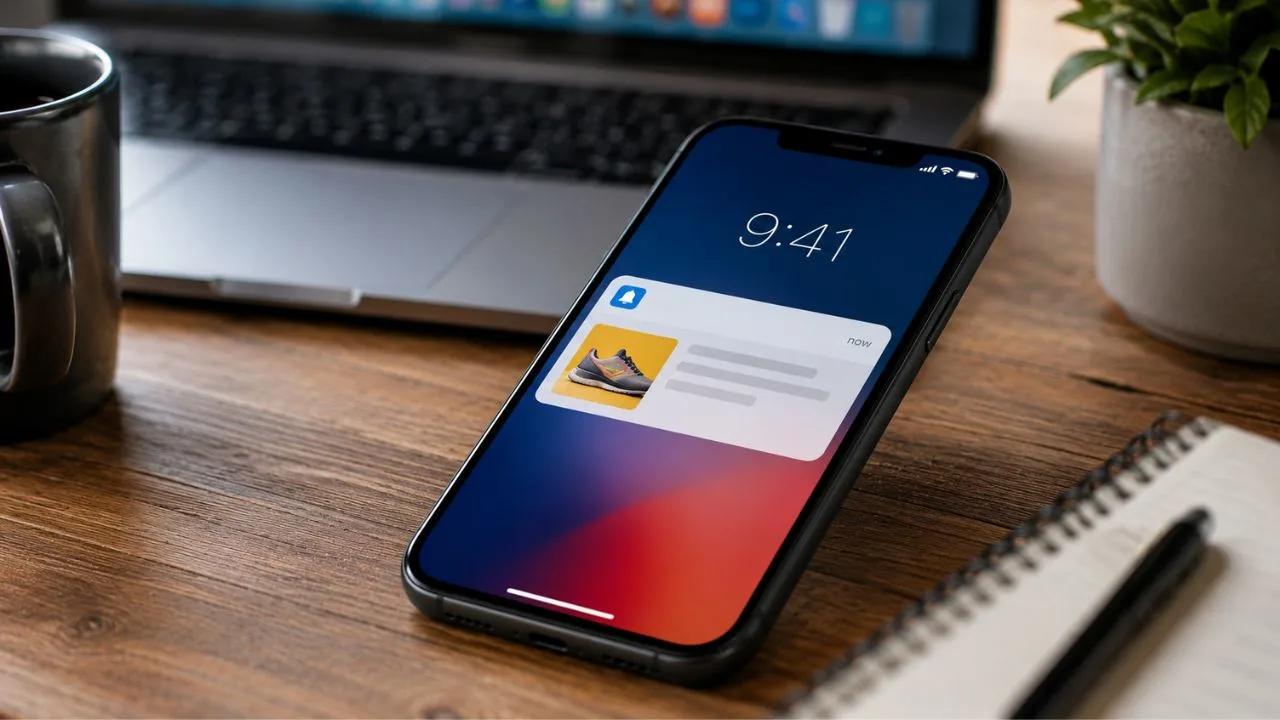

A push notification is a short message sent by an application or website directly to a person’s device. It may appear on a smartphone lock screen, in a notification centre, beside a desktop browser, or as a badge on an app icon. Unlike an email, the recipient does not need to open an inbox to see it.
Businesses use push notifications to share information that is timely, relevant, or connected to a user’s activity. A banking app might confirm a transaction, a delivery service might announce that an order is arriving, and an online store might remind a shopper about an item that has returned to stock. The purpose should be usefulness, not interruption.
Push messaging is valuable because it creates a direct communication channel between a digital product and its users. However, direct access to someone’s attention comes with responsibility. Notifications that arrive too frequently, contain irrelevant promotions, or hide their purpose can quickly lead people to disable alerts or remove the application entirely.
The best push notification strategy therefore begins with a simple question: does this message help the recipient at this particular moment? When businesses combine clear permission, thoughtful timing, useful information, and user-controlled preferences, push notifications can support engagement without creating notification fatigue or weakening trust.
What Does Push Notification Mean?
The term “push” describes the way a message is delivered. Instead of waiting for someone to open an app, refresh a website, or request new information, a server initiates the delivery. The platform’s push service then passes the message to the relevant browser, mobile application, or device when delivery conditions allow.
A push notification usually contains a title, a brief message, an app or website icon, and an action that opens a relevant destination. Depending on the operating system and implementation, it may also include an image, sound, badge, timestamp, action buttons, or deep link leading to a particular product, conversation, order, or account screen.
Push notifications are different from local notifications. A push notification is normally triggered remotely by an application server, while a local notification is scheduled or generated directly on the device. For example, a server may push a breaking-news alert, whereas a meditation app may schedule a local reminder for the user’s chosen daily session time.
For web applications, the W3C Push API allows an application server to send information through a push service even when the web application is not currently open. The browser can activate the appropriate service worker, process the message, and display a system notification when permission has been granted.
How Do Push Notifications Work?
The process begins when a user installs an application, visits a compatible website, or activates a feature that offers notifications. The app or site explains the value of the alerts and requests permission. If the person agrees, the device or browser creates a registration token or push subscription associated with that installation and service.
The application sends the subscription information to its backend system. When an event occurs, such as a completed payment or new message, the server prepares a notification and sends it to a platform delivery service. Common services include Apple Push Notification service, Firebase Cloud Messaging, and standards-based web push services operated through supporting browsers.
The push service identifies the intended device, browser, or app installation and attempts to deliver the message. Delivery may depend on internet connectivity, device settings, power management, platform policies, notification permission, and whether the registration remains valid. A successful server request therefore does not always mean the user immediately saw or opened the notification.
On the web, push messages are generally delivered to a service worker associated with the site’s origin. The service worker can receive the message while the page is inactive and use the Notifications API to display a persistent browser notification. Firebase Cloud Messaging similarly requires supported web apps to configure message handling and a messaging service worker.
What Are the Main Types of Push Notifications?
Mobile app push notifications are messages sent to applications installed on smartphones or tablets. They can appear on lock screens, in notification centres, or as app-icon badges. Mobile alerts are commonly used for order updates, account activity, new messages, appointment reminders, travel changes, security warnings, and carefully targeted promotional campaigns.
Web push notifications are sent by websites through compatible browsers after the visitor grants permission. They can reach subscribed users without requiring a native mobile app. Web push is useful for publishers, e-commerce stores, SaaS platforms, community websites, booking services, and businesses that want to re-engage visitors after they leave a webpage.
Desktop push notifications appear through a desktop application, browser, or operating-system notification system. Collaboration platforms may use them for direct messages, while business software may display task updates or security alerts. Because desktop users are often working, these messages should be especially selective and should not interrupt people for low-value activity.
Push messages can also be classified by purpose. Transactional notifications respond to a user action, behavioural messages are triggered by activity, and promotional notifications encourage a commercial response. System alerts provide operational information, while location- or event-based notifications relate to a particular situation. Each category requires different timing, urgency, and frequency.
What Is the Difference Between Mobile and Web Push?
Mobile push notifications are tied to a native or cross-platform application installed on the user’s device. They are delivered through the operating system’s notification infrastructure and can often use platform-specific capabilities. Their appearance and behaviour may vary according to the application, device manufacturer, operating-system version, user settings, and notification category.
Web push notifications are connected to a website origin and browser subscription rather than a traditional app installation. They rely on browser technologies including the Push API, Notifications API, and service workers. Because web push support and behaviour differ across browsers and devices, websites should use feature detection and provide alternative communication options when necessary.
Apple supports standards-based Web Push for webpages in Safari 16 on macOS 13 and later. It also supports web push for Home Screen web apps beginning with iOS and iPadOS 16.4. On those mobile platforms, the user must add the web application to the Home Screen before it can request and receive web push notifications.
Neither channel is automatically better. A native application may provide a deeper product experience, while web push can reach users who have not installed one. Businesses should choose according to user behaviour, development resources, customer needs, and platform reach rather than treating push notifications as a channel that must be added everywhere.
Push Notifications vs SMS, Email and In-App Messages
Push notifications and SMS messages both reach mobile devices, but they use different systems. SMS is delivered through a mobile network to a phone number, while push messages are delivered through an application or browser subscription. SMS can reach users without an installed app, but it may involve per-message charges and stricter messaging expectations.
Email provides more space for detailed communication, long explanations, receipts, newsletters, and content that recipients may need to search later. Push notifications are better suited to brief, time-sensitive updates. A notification can encourage immediate attention, while an email can provide the complete information, record, instructions, or documentation behind that alert.
In-app messages appear while a person is actively using an application or website. They are useful for onboarding, feature education, recommendations, and contextual guidance. Push notifications are designed to reach people outside the active experience. Combining both channels carefully can create a smoother journey than repeatedly sending the same message through every available channel.
The right channel depends on urgency, complexity, user preference, and purpose. A security warning may justify push and email, while a product tutorial may belong inside the app. Instead of asking which channel gets the highest click rate, teams should decide which method delivers the information with the least unnecessary disruption.
Why Do Businesses Use Push Notifications?
Push notifications allow businesses to communicate with users at moments when information may be most useful. A travel service can announce a gate change, a healthcare platform can remind someone about an appointment, and a retailer can confirm that an order has shipped. These messages reduce the need for users to repeatedly check for updates.
They can also support customer retention by bringing people back to features they have chosen to use. A language-learning application might remind a learner about a planned lesson, while a productivity platform might highlight a task deadline. The strongest re-engagement notifications connect to an existing goal rather than manufacturing urgency simply to generate another session.
Personalized push notifications can make communication more relevant when personalization is based on genuine preferences or recent activity. Useful segmentation might reflect language, location, account type, saved products, selected topics, or notification settings. Personalization should help recipients filter information, not reveal sensitive assumptions or make people feel excessively monitored.
Firebase Cloud Messaging describes push messaging as a cross-platform way to send messages to Apple, Android, and web clients, including notifications intended to support re-engagement and retention. Even so, successful delivery depends on message quality, targeting, permission, and whether users consider the alerts valuable enough to keep enabled.
How Should Websites and Apps Request Permission?
Permission should be requested when the user understands what they will receive and why it could be useful. Asking immediately when someone lands on a website gives them little reason to accept. A better moment may follow a product subscription, saved search, completed booking, followed topic, or explicit selection such as “Notify me when available.”
For web push, developers should not automatically trigger the browser permission dialog on page load. A website can first use its own interface to explain the benefits and allow the visitor to make an informed choice. The browser prompt should follow a clear user action rather than appearing alongside cookie notices, newsletter forms, and other competing requests.
Mobile platforms also give users greater control over notification permission. Android 13 and later require newly installed apps to request the POST_NOTIFICATIONS runtime permission for most notifications. Apple similarly requires authorization for alerts, sounds, and badges and recommends asking in a context where the value is understandable.
A person who declines should still be able to use the core product wherever notifications are not essential. Applications should also provide an accessible settings area where users can enable, disable, or refine categories later. Respecting a refusal protects trust and avoids repeatedly pressuring someone who has already expressed a preference.
What Makes a Good Push Notification?
A good push notification communicates one useful idea quickly. Its title identifies the event, while the body explains what changed or why attention may be needed. Vague language such as “You will not believe this” may create curiosity, but it offers little value and can make legitimate messages resemble spam or manipulative advertising.
The notification should lead to the most relevant destination. A delivery update should open the correct order, a direct-message alert should open the relevant conversation, and a price-change notification should lead to the saved product. Deep linking reduces friction by helping the recipient act without searching through the app or website.
Timing should reflect the user’s situation rather than the sender’s convenience. Transactional and security notifications may need immediate delivery, whereas promotional messages can often respect local time, quiet hours, and preferred frequency. If the content will no longer be useful after a certain time, the system should avoid delivering it long after that moment has passed.
Every message should also be truthful and understandable without unnecessary pressure. Artificial countdowns, exaggerated urgency, misleading discounts, and incomplete account warnings may produce short-term clicks but damage confidence. MDN’s web push guidance recommends that notifications be useful and time-sensitive, with permission requested before sending and an easy way to stop future messages.
How Can Push Notifications Be Personalized?
Useful personalization starts with choices users knowingly make. A sports application may let people follow specific teams, while a marketplace may allow shoppers to save products or price ranges. These signals provide a clear reason for a notification and usually create better relevance than broad assumptions based on limited behavioural data.
Behavioural triggers can also support timely communication. An alert might confirm that an uploaded file has finished processing or remind someone about an incomplete application they chose to begin. Before sending a reminder, the system should confirm that the action remains unfinished and that the user has not already completed it on another device or channel.
Notification preference centres give users control over topics, frequency, sound, timing, and delivery channels. Instead of presenting a single choice between all notifications and none, applications can separate security alerts, account updates, recommendations, marketing offers, and community activity. Apple also recommends offering fine-grained controls when a service sends different types of web push events.
Personalization should be handled carefully when the message could appear on a shared screen or lock screen. Health information, financial details, private conversations, and sensitive account data may require neutral wording. The notification can indicate that an update is available while asking the user to open the secure application for the complete details.
What Push Notification Mistakes Should You Avoid?
Sending too many messages is one of the fastest ways to lose permission. Even individually relevant notifications can become exhausting when they arrive repeatedly. Businesses should evaluate the total number of alerts a person receives across automated campaigns, transaction systems, product features, and marketing teams rather than setting limits for each workflow separately.
Poor segmentation creates another common problem. A message may be appropriate for one customer but irrelevant to another because of location, language, purchase history, subscription status, or product availability. Before launching a campaign, teams should verify that every recipient can understand the message and realistically benefit from the action being promoted.
Notifications should not repeat information users have already seen or acted upon. A cart reminder that arrives after checkout or an event alert sent after cancellation makes the system feel careless. Real-time data checks, suppression rules, expiration settings, and cross-channel coordination can reduce these preventable mistakes.
Broken links and unclear destinations also weaken trust. Every notification should be tested on supported devices, browsers, app versions, login states, and account conditions. Teams should confirm that tapping the alert opens the intended screen, handles expired content gracefully, and does not send the recipient to an unrelated homepage or error message.
How Do You Create a Push Notification Campaign?
Begin by defining the user benefit and business objective. A campaign might aim to confirm an event, recover an interrupted process, announce requested content, or encourage use of a relevant feature. Goals such as “send more notifications” or “increase clicks” are too narrow because they do not explain whether the resulting interaction helps the recipient.
Next, identify the eligible audience and the event that should trigger delivery. Build rules for exclusions, timing, frequency, time zone, message expiration, and recent customer activity. A good campaign plan should state not only who receives the message, but also who must not receive it and when it should no longer be sent.
Write several concise variations while keeping the meaning honest. Test titles, supporting text, call-to-action wording, delivery time, and landing destinations one meaningful variable at a time. The winning version should be selected according to a useful outcome such as completed bookings or restored accounts, not simply the notification-open rate.
Before the full launch, test internally and release to a smaller audience. Monitor delivery failures, unexpected targeting, opt-outs, app errors, and negative feedback. Gradual rollout is especially important for large audiences because a confusing or technically broken push campaign can reach thousands of devices before a team has time to correct it.
How Should Push Notification Performance Be Measured?
Delivery rate shows how many messages the push service accepted or successfully delivered according to the available platform data. It can reveal invalid subscriptions, expired tokens, permission changes, or technical failures. However, delivery does not prove that the recipient noticed, read, or valued the notification.
Open rate or click-through rate measures how many recipients interacted with an alert. This can help compare wording, relevance, and timing, but it should not be interpreted alone. A security confirmation may be useful without being opened, while a misleading promotional message might receive many clicks and still produce a poor customer experience.
Conversion rate connects the notification to a meaningful action such as completing a purchase, confirming an appointment, viewing a message, or returning to a lesson. Teams should also consider time to action, revenue, task completion, repeat engagement, and whether the user would likely have acted without receiving the notification.
Opt-out rate, uninstall rate, notification disabling, complaint signals, and reduced engagement are equally important. A campaign that creates immediate conversions while causing many users to silence future messages may be harmful over time. Healthy measurement balances business outcomes with permission retention and the quality of the user relationship.
What Technology Is Used for Web Push Notifications?
Web push generally uses several connected browser standards. The Push API manages subscriptions and receives server-sent messages, while the Notifications API displays alerts through the operating system’s notification interface. Service workers perform background handling, allowing the browser to process push events when the related webpage is not open.
A push subscription contains an endpoint and encryption-related information that the application server uses to address a message. The server sends the encrypted payload to the appropriate push service, which routes it toward the user agent. Subscription details should be treated as sensitive application data and removed when they are invalid or no longer associated with permission.
Developers may build directly with web standards or use a messaging provider such as Firebase Cloud Messaging. FCM supports browser clients that implement the Push API and uses web credentials to associate push subscriptions with a project. The application must still manage user permission, service-worker behaviour, targeting logic, and the experience after a notification is opened.
The web push standard continues to evolve. The W3C’s December 2025 working draft includes work on declarative push messages, which could allow compatible user agents to display certain notifications without depending entirely on service-worker execution. Because this remains draft work, developers should not assume universal production support without platform testing.
Are Push Notifications Safe and Private?
Push notifications can be delivered securely, but the message design and surrounding data practices still matter. Web push payloads use the subscription information and protocol mechanisms required by the browser’s push service. Applications remain responsible for protecting subscription records, authenticating server requests, controlling staff access, and preventing unauthorized campaigns.
A notification should reveal only the information necessary for the recipient to understand the event. Because alerts may appear on lock screens, shared desktops, wearable devices, or projected displays, sensitive content can be exposed even when the underlying app requires authentication. Neutral previews provide a safer option for private account activity.
Users must be able to understand how notifications were enabled and how to turn them off. Browser and operating-system controls provide one layer, but applications should also offer clear internal settings. A preference centre can help people reduce marketing alerts while continuing to receive important service, security, or account notifications.
Privacy-friendly push communication is ultimately based on restraint. Collect only the targeting information needed for the intended experience, avoid surprising inferences, secure stored tokens, and stop using inactive subscriptions. Permission to display notifications should never be interpreted as unlimited permission to send every message a business wants to promote.
Build a Push Notification Strategy People Welcome
Push notifications work best when they feel like a helpful feature rather than an advertising shortcut. They can save people time, confirm important activity, highlight requested information, and reconnect users with valuable tasks. Their effectiveness depends less on how often they appear and more on whether each message earns attention.
A sustainable strategy combines thoughtful opt-in moments, accurate segmentation, concise writing, dependable technology, and meaningful measurement. It also allows users to change their minds. Giving people control may reduce the size of an addressable audience, but it creates a stronger channel made up of recipients who genuinely want the information.
Businesses should regularly review every active notification workflow. Old campaigns may continue operating after products, pricing, customer behaviour, and company priorities have changed. Removing low-value messages can be just as important as creating new ones because every unnecessary alert competes with notifications that users truly need.
The simplest definition remains the most useful: a push notification is a message delivered from an app or website to a user’s device. The difference between a helpful notification and an annoying one comes from relevance, timing, transparency, and respect. When those principles guide the strategy, push messaging can strengthen both user experience and business communication.
Do push notifications require an app?
Not always. Mobile push notifications generally come from installed applications, while web push notifications can come from subscribed websites through compatible browsers. On iOS and iPadOS, web push is available to supported web apps added to the Home Screen.
Do push notifications use mobile data?
Push notifications usually require an internet connection and may use a small amount of Wi-Fi or mobile data. Opening the notification can use additional data if the app or website needs to download images, account information, video, or updated content.
Can push notifications arrive when an app is closed?
Yes. Platform push services can deliver messages while an application or webpage is not actively open, subject to permission, connectivity, system settings, and platform restrictions. The operating system or browser handles the background delivery process.
Are push notifications free for users?
Users do not normally pay a separate fee for receiving standard push notifications, although internet data charges may apply. Businesses may pay development, platform, messaging-provider, analytics, or campaign-management costs depending on their chosen technology.
How do I stop push notifications?
Notifications can usually be disabled through the device’s application settings, browser site settings, or the app’s own preference centre. Some services also allow users to turn off promotional messages while retaining important account, security, or transactional alerts.