
What Does a Router Do? A Simple Guide to Home Networking
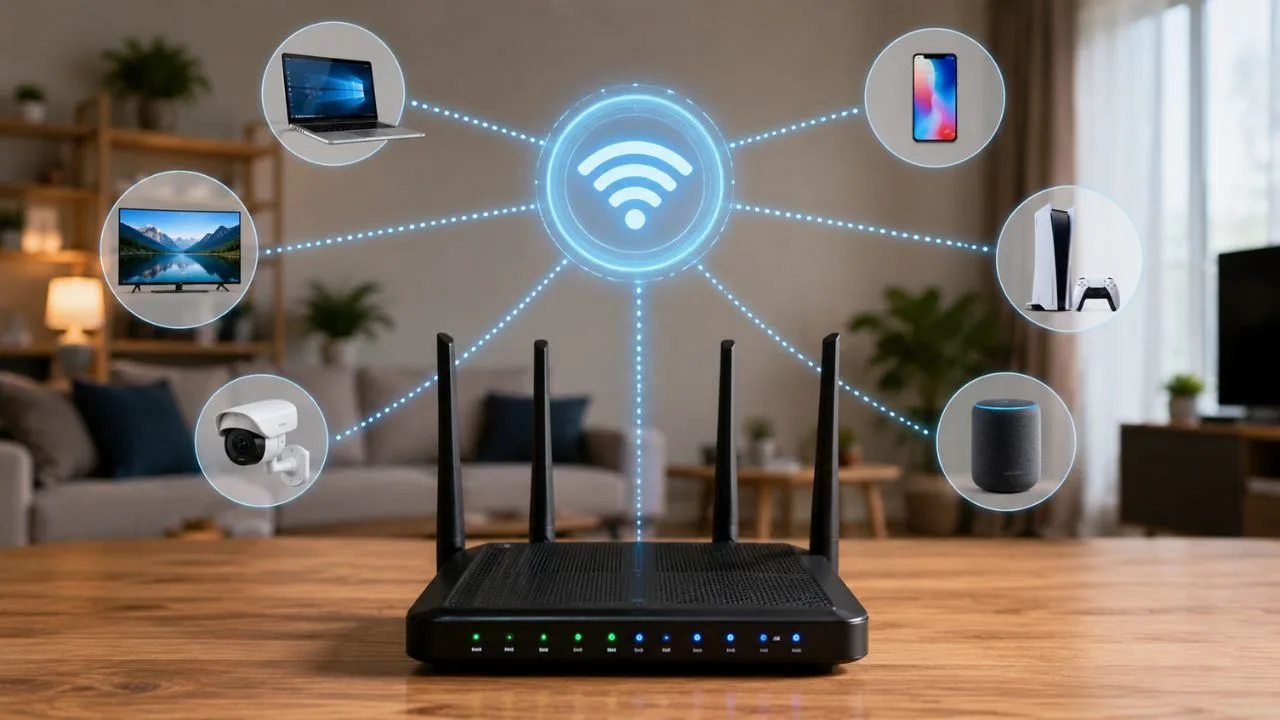
A router connects the devices in your home or workplace and directs information between them and the internet. It allows smartphones, computers, smart TVs, gaming consoles, security cameras, and other connected devices to use the same internet connection. Without a router, sharing internet access across several devices would be much more difficult.
Most people interact with a router every day without thinking about how it works. Whenever you open a website, stream a video, join an online meeting, or send a message, your router helps move that information to the correct destination. It quietly manages network traffic so each connected device receives the data it requested.
A modern wireless router does more than distribute Wi-Fi. It can assign local IP addresses, protect the home network, manage connected devices, prioritize important traffic, and help parents control internet access. Some models also support guest networks, smart home devices, mesh Wi-Fi systems, and advanced security settings.
Understanding what a router does can help you solve connection problems and choose better networking equipment. It can also help you improve internet coverage, reduce slow speeds, and protect personal information. This guide explains the role of a router in simple language without requiring advanced technical knowledge.
What Is a Router?
A router is a networking device that connects two or more networks and directs data between them. In a typical home, it connects the private home network to the wider internet. It examines incoming and outgoing information before deciding where that information needs to go.
The word “router” comes from its main job of choosing a route for data. Information traveling online is divided into small units called data packets. The router reads important details attached to those packets and sends them toward the correct computer, website, server, or connected device.
A home router also creates a local area network, commonly called a LAN. This private network allows devices inside the home to communicate with one another. For example, a laptop may send a document to a wireless printer through the local network without sending that document across the public internet.
Many home routers combine several networking tools inside one device. They may include a wireless access point, Ethernet switch, firewall, DHCP server, and network management system. This all-in-one design makes it easier for ordinary users to build and control a reliable home Wi-Fi network.
What Does a Router Do?
The main purpose of a router is to direct internet traffic between connected devices and outside networks. When several devices are using the internet, the router keeps track of their individual requests. It then makes sure that every website, video, email, or download returns to the device that requested it.
A router also allows multiple devices to share one public internet connection. Your internet service provider normally gives your home a public IP address. The router manages that connection and creates private IP addresses for the phones, computers, tablets, and smart devices operating inside your network.
Another important function is creating wired and wireless connections. Devices can connect through Wi-Fi or by using Ethernet cables plugged into the router’s LAN ports. This flexibility allows users to choose wireless convenience or a more stable wired connection depending on their activities and equipment.
The router can also provide a layer of protection between your devices and the public internet. It checks network traffic, blocks many unsolicited connection attempts, and applies security rules. Although it does not replace antivirus software, it remains an important part of a secure home network.
How Does a Router Work?
When you enter a website address, your device creates a request for information and sends it to the router. The router identifies where the request needs to travel and forwards it through the modem or internet connection. The request then moves across other networks until it reaches the website’s server.
The website sends the requested information back through the internet. Your router receives the returning data packets and checks their destination details. It then delivers those packets to the correct phone, laptop, tablet, television, or other device connected to the home network.
This entire process normally happens within fractions of a second. The router may be managing similar requests from many devices at the same time. It organizes the traffic so one family member can stream a movie while another attends a video call and someone else browses social media.
Routers use routing tables and networking protocols to make traffic decisions. Home users rarely need to manage these processes manually because the router performs them automatically. However, users can access the router settings when they need to change passwords, create guest networks, or adjust security features.
How a Router Connects Multiple Devices
A router creates a central point through which connected devices can communicate. Each device joining the network receives a private IP address that identifies it locally. The router uses these addresses to separate traffic and make sure information reaches the correct device instead of being delivered to every device.
The automatic assignment of IP addresses is usually handled by Dynamic Host Configuration Protocol, or DHCP. When a new phone or computer connects, the router gives it an available address and necessary network information. This process saves users from entering complicated networking details manually for every device.
The router also uses Network Address Translation, commonly known as NAT. NAT allows many private devices to communicate online through a single public IP address. It records outgoing requests and uses that record to send returning information back to the correct device on the private network.
Because of these technologies, dozens of household devices can share one internet subscription. A smart thermostat, doorbell camera, laptop, printer, television, and smartphone can remain connected at the same time. The router organizes their communication while keeping the private network separate from the public internet.
Router vs. Modem: What Is the Difference?
A modem connects your home to the internet service provided by your internet company. It translates signals traveling through cable, fiber, telephone, or another connection type. Without a modem or similar internet terminal, the home network would not have a direct connection to the internet provider.
A router takes that internet connection and shares it with multiple devices. It creates the local network, manages device communication, and distributes internet access through Wi-Fi or Ethernet. In simple terms, the modem brings internet service into the home, while the router sends it where it needs to go.
Some internet providers supply a single device that works as both a modem and a router. This equipment is often called a gateway or modem-router combination. It can be convenient because fewer cables and devices are required, although separate equipment may offer greater control and easier upgrades.
It is important to understand that a router does not create internet service by itself. You still need an active connection from an internet service provider. A router can create a local network without internet access, but connected devices will not be able to visit websites or use online services.
Wired Routers and Wireless Routers
A wired router connects devices through Ethernet cables. These physical connections usually provide consistent performance, low delay, and less interference than Wi-Fi. Desktop computers, gaming consoles, smart televisions, and network storage systems can benefit from a wired connection when reliability is especially important.
A wireless router includes a Wi-Fi access point that sends network signals through radio waves. It allows mobile devices to connect without being physically attached to the router. This makes wireless networking convenient for smartphones, laptops, tablets, smart speakers, and other portable or widely distributed devices.
Most modern home routers support both wired and wireless connections. They normally include several Ethernet ports as well as one or more Wi-Fi frequency bands. Users can connect fixed devices with cables while allowing portable devices to move around the home without losing network access.
The best connection type depends on the device and activity. Ethernet may be better for competitive gaming, large downloads, or important video conferences. Wi-Fi is usually more practical for everyday browsing, mobile devices, smart home products, and rooms where running network cables would be inconvenient.
Important Functions of a Modern Router
Modern routers assign IP addresses, direct network traffic, and allow devices to share an internet connection. They also keep a record of active connections so incoming information reaches the correct destination. These basic functions happen automatically and form the foundation of a working home network.
Many routers include a built-in firewall that monitors incoming and outgoing connections. The firewall can reject unexpected traffic and reduce direct exposure to outside networks. Users may also be able to block specific devices, websites, services, or connection types through the router’s administration settings.
Quality of Service, often shortened to QoS, is another useful feature. It allows the router to prioritize certain devices or activities when bandwidth is limited. For example, video calls or online games may be given priority over background downloads to reduce buffering, delays, and interruptions.
Newer routers may also support guest Wi-Fi, parental controls, device schedules, mobile management apps, and automatic firmware updates. Some models integrate with mesh Wi-Fi systems or smart home platforms. The exact features depend on the router model, manufacturer, and internet service being used.
How a Router Creates a Wi-Fi Network
A wireless router uses radio signals to create a Wi-Fi network inside a home, office, or other building. Connected devices exchange information with the router through those signals. The router then forwards the information to other local devices or sends it through the internet connection.
Many routers operate on the 2.4 GHz and 5 GHz frequency bands. Some newer models also support the 6 GHz band through technologies such as Wi-Fi 6E or Wi-Fi 7. Each band offers a different balance of coverage, speed, interference, and device compatibility.
The 2.4 GHz band generally reaches farther and passes through walls more effectively, but it may experience more interference. The 5 GHz and 6 GHz bands can support faster connections at shorter distances. A dual-band, tri-band, or multi-band router can distribute devices across available frequencies.
The network name displayed on your phone or computer is called the SSID. Users select this network and enter its Wi-Fi password to connect. The router verifies the credentials and then allows the approved device to communicate with other devices and access the internet.
Does a Router Affect Internet Speed?
A router can affect the speed experienced by connected devices, but it does not control the maximum speed of the internet plan. Your internet provider determines how much bandwidth reaches the home. The router must then distribute that available bandwidth among all the connected devices.
An older router may not support the speed offered by a newer internet connection. Outdated wireless standards, slow Ethernet ports, limited processing power, or weak antennas can create a bottleneck. Upgrading the router may improve local performance when the existing equipment cannot handle the available connection properly.
Distance, walls, furniture, and electronic interference can also reduce Wi-Fi performance. A device located far from the router may receive a weak signal even when the internet plan is fast. Moving the router or adding a mesh Wi-Fi system can improve coverage in larger homes.
Internet speed can also decrease when too many devices are performing demanding activities simultaneously. Streaming high-resolution video, downloading large files, gaming, and cloud backups all use bandwidth. A capable router can manage this traffic more efficiently, but it cannot provide more bandwidth than the internet connection supplies.
How a Router Helps Protect Your Network
A router creates a boundary between the private home network and the public internet. NAT and firewall functions make it more difficult for unknown outside systems to connect directly to individual devices. This protection is especially important when several personal and smart home devices remain connected throughout the day.
Wi-Fi encryption protects information moving between wireless devices and the router. Modern routers may support WPA2 or WPA3 security, with WPA3 offering newer protections where compatible devices are available. Users should avoid outdated security methods and should always protect the wireless network with a strong password.
Router firmware updates are also important because they can fix security weaknesses and improve reliability. Some routers install updates automatically, while others require the owner to check manually. A router that no longer receives manufacturer updates may become a security risk even if it appears to work normally.
Users should change default administrator credentials, disable unnecessary remote access, and review connected devices regularly. A separate guest network can be created for visitors or certain smart devices. These steps reduce unwanted access and help keep personal computers and sensitive information better protected.
Where Should You Place Your Router?
A router should usually be placed in a central, open location. Wi-Fi signals spread outward, so a central position gives them a better chance of reaching different rooms. Placing the router at one end of the house may leave distant areas with slow speeds or unstable connections.
The router should be elevated on a table, shelf, or wall instead of being placed on the floor. Large furniture, concrete walls, metal objects, mirrors, and appliances can weaken or redirect wireless signals. Keeping the router in an open area can improve coverage without requiring additional equipment.
Avoid hiding the router inside a cabinet or behind a television. Enclosed spaces restrict airflow and can reduce wireless performance. The router should also be kept away from sources of interference such as microwave ovens, some cordless phones, and crowded groups of electronic devices.
In a large or multi-story property, one router may not cover every room effectively. Wi-Fi extenders can help in some situations, but a mesh Wi-Fi system often provides smoother coverage. Mesh systems use multiple connected access points to create one coordinated network throughout the property.
Common Router Problems and Simple Solutions
A router may occasionally slow down, disconnect devices, or stop providing internet access. Restarting it can clear temporary errors and restore normal communication. Disconnect the power, wait briefly, reconnect it, and allow the device enough time to complete its startup process.
Slow Wi-Fi may be caused by poor placement, interference, crowded channels, or too many active devices. Moving closer to the router can help determine whether signal strength is the problem. Testing with an Ethernet cable can also show whether the issue affects only Wi-Fi or the entire connection.
An unstable connection may also come from the modem, internet provider, damaged cables, or outdated router firmware. Check indicator lights and confirm that all cables are firmly connected. Contacting the provider may be necessary when several devices lose internet access even though the local network remains visible.
Sometimes one device experiences problems while others work normally. In that case, forgetting the Wi-Fi network and reconnecting may solve the issue. Restarting the affected device, updating its network drivers, or checking its settings can also help before making major changes to the router.
When Should You Replace Your Router?
A router may need replacement when it frequently disconnects, overheats, restarts unexpectedly, or cannot provide reliable coverage. These problems can become more noticeable as additional devices are added. Older hardware may struggle to manage modern streaming, gaming, video calling, and smart home demands.
Replacement may also be useful when the router does not support the speed of your internet plan. For example, outdated Wi-Fi technology or slower network ports may limit performance. Checking the router’s specifications can reveal whether it has become a bottleneck within the home network.
Security support is another important consideration. A router that no longer receives firmware updates may contain unresolved vulnerabilities. Replacing unsupported equipment can provide newer encryption options, automatic updates, improved administration tools, and better protection for connected devices.
Not every connection problem requires a new router. Poor placement, internet provider issues, damaged cables, or incorrect settings may produce similar symptoms. Test the connection carefully and contact the provider when necessary before assuming that replacement is the only solution.
How to Choose the Right Router
Start by considering the size and layout of the property. A small apartment may only need a basic dual-band router, while a large or multi-story home may benefit from a mesh system. Thick walls, long hallways, and outdoor areas can also influence the amount of coverage required.
Choose a router that can support your internet plan and normal online activities. Households with many users, smart devices, online gamers, or high-resolution streaming needs may require more capacity. A basic router may still work well for light browsing, email, and occasional video streaming.
Check which Wi-Fi standards your devices support before paying for advanced features. A newer router can remain compatible with many older devices, but the greatest performance benefits usually require compatible phones and computers. Ethernet port speeds should also be considered for wired equipment.
Security features, update support, parental controls, guest networking, and ease of management are equally important. A powerful router is not helpful if its settings are confusing or rarely updated. Choose a reliable model that matches your actual needs rather than focusing only on advertised maximum speeds.
Final Thoughts on What a Router Does
A router directs data between your devices, local network, and internet connection. It allows many devices to share the same service while keeping their traffic organized. This makes it possible to browse, stream, work, communicate, and use smart technology throughout the home.
It also creates Wi-Fi, assigns private IP addresses, manages network traffic, and provides basic security protections. Advanced routers can prioritize important activities, create guest networks, control device access, and improve coverage through mesh technology. These features make the router a central part of modern digital life.
The router and modem perform different jobs, although both may be combined in one gateway device. The modem connects the property to the internet provider, while the router distributes that connection. Understanding this difference can make troubleshooting and equipment upgrades much easier.
Ultimately, a router acts like a traffic manager for your digital information. It identifies where data needs to go and sends it along the correct path. A properly selected, securely configured, and well-positioned router can provide faster, safer, and more dependable connectivity for every user.
Frequently Asked Questions
Does a router provide internet by itself?
No, a router does not normally create internet service. It distributes an existing connection supplied through a modem, fiber terminal, mobile connection, or another internet source.
Do I need both a modem and a router?
Most home networks need both functions. You may use two separate devices or a single modem-router combination supplied by your internet service provider.
Can a router work without the internet?
Yes, a router can create a local network without internet access. Connected devices may still share files, communicate locally, or use a network printer.
How many devices can connect to a router?
The number depends on the router’s hardware, settings, and network activity. Many modern routers support numerous devices, but performance may decline when too many use large amounts of bandwidth.
Does turning off the router improve its performance?
Restarting a router can clear temporary errors and restore unstable connections. However, frequent restarts may indicate outdated firmware, overheating, poor equipment, or an internet service problem.