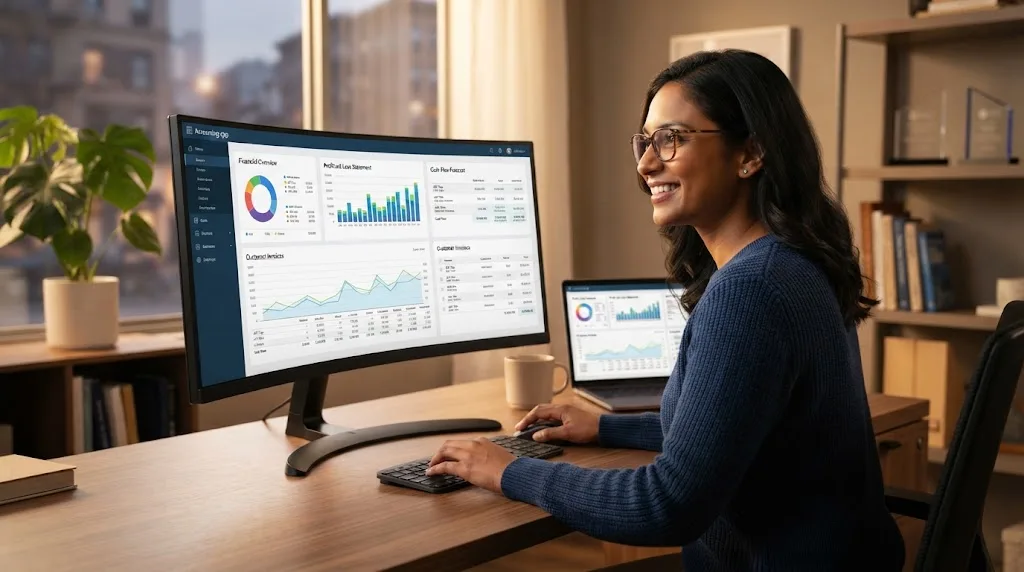

The best accounting software for small businesses should make financial management easier without forcing owners to become accountants. At a minimum, it should help track income and expenses, create invoices, monitor cash flow, reconcile bank transactions, and prepare basic financial reports. A clear dashboard is especially valuable because owners need to understand their financial position quickly.
Automation is another important consideration. Good accounting platforms can reduce repetitive work by importing transactions, categorizing expenses, sending recurring invoices, tracking overdue payments, and generating reports automatically. These features save time and reduce the chance of manual errors, which becomes increasingly important as transaction volume and business complexity grow.
Scalability also matters because your accounting needs may change over time. A freelancer may begin with simple invoicing but later need payroll, inventory tracking, project profitability, or multiple users. Choosing software that can grow with the business can prevent the inconvenience of migrating financial records to a completely different platform later.
QuickBooks Online: Best Overall for Many Small Businesses
QuickBooks Online is one of the most recognizable accounting platforms for small businesses because it covers many everyday bookkeeping needs in one system. Businesses can use it to record expenses, send invoices, track payments, reconcile accounts, monitor profitability, and review financial reports. Its broad feature set makes it suitable for many service-based and product-based businesses.
The platform can be especially useful for businesses that work with accountants or bookkeepers. Financial information is stored in one place, making it easier for authorized professionals to review transactions, correct classifications, and prepare reports. Owners can also monitor important figures such as revenue, expenses, accounts receivable, and cash movement without maintaining complicated spreadsheets.
QuickBooks may offer more functionality than very small businesses actually require. New owners should avoid activating every possible feature immediately because this can make the system feel unnecessarily complex. Start with invoicing, expense tracking, bank reconciliation, and essential reports before introducing advanced workflows as your financial management needs become more sophisticated.
Xero: Best for Collaborative Small Business Accounting
Xero is a popular cloud accounting platform designed around online financial management and collaboration. Small businesses can use it for invoicing, expense recording, bank reconciliation, financial reporting, and other everyday bookkeeping activities. Its cloud-based structure allows business owners, employees, accountants, and advisers to access financial information from different locations when appropriate permissions are provided.
One reason businesses consider Xero is its clean approach to financial visibility. Owners can monitor money coming in and going out while keeping invoices, bills, and bank activity connected within the same accounting environment. This makes it easier to identify unpaid invoices, understand expenses, and maintain accurate records throughout the year instead of organizing everything at tax time.
Xero can work particularly well for businesses that expect multiple people to interact with their financial information. However, companies should still establish clear responsibilities for invoicing, categorization, approvals, and reconciliation. Accounting software improves visibility, but inaccurate inputs or unclear internal processes can still create financial records that require significant correction later.
FreshBooks: Best for Freelancers and Service Businesses
FreshBooks is particularly appealing to freelancers, consultants, agencies, and service-based businesses that need straightforward invoicing and expense management. It focuses heavily on helping businesses bill clients, track payments, manage expenses, and keep project-related financial information organized. Owners who find traditional accounting software intimidating may appreciate a system designed around common service business workflows.
Client invoicing is especially important for service businesses because revenue depends on billing accurately and getting paid on time. A structured invoicing platform helps businesses create professional invoices, maintain payment records, and identify outstanding balances. Some service providers can also benefit from tracking time and linking billable work to particular clients or projects.
FreshBooks may not be the first choice for every company with complicated inventory, manufacturing, or highly specialized accounting requirements. Its strengths are most obvious when the financial workflow centers on clients, services, invoices, and business expenses. Small teams should compare their specific bookkeeping requirements with available features before deciding whether it provides sufficient long-term flexibility.
Zoho Books: Best for Businesses Using a Connected Software Ecosystem
Zoho Books provides accounting capabilities within the broader Zoho business software ecosystem. It can help small companies manage invoices, expenses, bills, banking activity, financial reports, and other routine bookkeeping tasks. Businesses already using other Zoho applications may find it particularly convenient because accounting information can become part of a more connected operational workflow.
This connected approach can become useful when accounting is only one part of a company’s daily processes. Sales, customer management, invoicing, and financial reporting often overlap, especially in growing organizations. Businesses exploring CRM software alongside accounting tools should consider how customer information, sales activity, invoices, and payments can move efficiently between systems.
Zoho Books may also appeal to smaller companies that want automation without immediately adopting heavyweight accounting technology. However, businesses should evaluate which integrations and advanced features they genuinely require. A connected software ecosystem delivers the most value when information flows between tools naturally instead of forcing employees to duplicate the same customer or financial data.
Wave: Best for Very Small Businesses With Basic Accounting Needs
Wave is often considered by freelancers, independent professionals, and very small businesses looking for a simpler approach to bookkeeping. It focuses on core activities such as invoicing, income tracking, expense management, and basic accounting workflows. For businesses with relatively straightforward finances, this can be easier to manage than implementing a more complicated accounting platform with dozens of unused features.
Simplicity is particularly valuable when a business owner handles bookkeeping without a dedicated finance employee. An easy-to-understand system makes it more likely that transactions will be recorded consistently rather than being postponed for weeks. Regular bookkeeping also gives owners a more accurate understanding of cash flow and business performance throughout the year.
However, basic accounting software may become restrictive as a company expands. Businesses that add employees, inventory, multiple departments, advanced reporting needs, or complex financial processes may eventually require a more sophisticated solution. Before choosing a lightweight accounting platform, consider not only what you need today but also how your operations might change over the next few years.
Sage Accounting: Best for Businesses That Want Structured Financial Management
Sage has a long history in business accounting and offers solutions designed for organizations with different levels of financial complexity. Small business accounting tools can support tasks such as invoicing, expense management, reporting, bank reconciliation, and cash flow monitoring. This structured approach can appeal to owners who want dependable financial processes rather than a purely invoice-focused application.
Businesses that expect their accounting needs to become more advanced may appreciate a platform connected with broader financial management capabilities. As organizations grow, they may need greater control over users, reporting, payments, inventory, or operational finances. Choosing an accounting ecosystem capable of supporting additional requirements can make future expansion more manageable.
That does not mean every small business needs advanced accounting software from the beginning. A solo consultant with limited expenses has very different requirements from a growing retailer or contractor. Owners should compare the complexity of their transactions, reporting needs, and future plans before deciding whether a more structured financial platform is worth the additional setup.
Odoo Accounting: Best for Businesses Wanting Accounting and Operations Together
Odoo is different from many standalone accounting applications because accounting can operate alongside other business functions within the same broader platform. Companies can connect financial processes with areas such as sales, customer relationships, inventory, purchasing, projects, and other operations. This approach can be attractive for businesses seeking fewer disconnected software systems.
Integrated systems can reduce duplicate data entry when implemented carefully. For example, a confirmed sale may connect with invoicing, customer records, inventory changes, and financial reporting instead of requiring employees to update several separate applications manually. This can improve efficiency and provide managers with a more complete view of business activity.
The tradeoff is that integrated business software usually requires thoughtful configuration. A company only needing simple invoicing and expense tracking may find a broader system unnecessary. Odoo becomes more compelling when a business wants accounting to operate as part of a wider operational platform rather than remaining an isolated bookkeeping application.
Cloud Accounting vs Desktop Accounting Software
Cloud accounting software stores business information online and allows authorized users to access financial records through an internet-connected device. This model can be convenient for remote teams, accountants, and owners who work from multiple locations. Updates and backups are also generally easier to manage because much of the technical infrastructure is handled by the software provider.
Desktop accounting software is installed locally and can provide greater direct control over where data and applications are stored. Some businesses prefer this approach because they have established offline workflows, specific compliance requirements, or unreliable internet access. However, collaboration and remote access may require additional configuration compared with cloud-based accounting tools.
For many modern small businesses, cloud accounting provides the best balance of flexibility and convenience. Still, there is no universal answer. The right choice depends on how your team works, where financial records need to be accessed, your security policies, internet reliability, and whether remote collaboration is important to daily bookkeeping operations.
Essential Accounting Features Small Businesses Should Look For
Invoicing should be one of the first features to evaluate because getting paid is central to business cash flow. Good software should make invoices easy to create, send, track, and organize. Businesses that rely on recurring clients may also benefit from recurring invoices, automatic reminders, payment status tracking, and clear records of outstanding balances.
Bank reconciliation is equally important for maintaining accurate financial records. Connecting accounting activity with bank transactions can help owners identify missing entries, duplicates, incorrect classifications, or unexpected charges. Regular reconciliation keeps records cleaner and makes financial reports more dependable, which becomes especially valuable when preparing tax information or reviewing business performance.
Reporting should also be easy enough for business owners to understand. Common reports include profit and loss statements, balance sheets, cash flow information, accounts receivable, and expense summaries. The goal is not simply to generate reports but to use financial information to make better decisions about pricing, spending, hiring, and future investment.
How Accounting Software Can Improve Cash Flow Management
Cash flow problems can affect profitable businesses when money does not arrive at the right time. Accounting software helps owners monitor unpaid invoices, upcoming bills, expenses, and available funds from one place. This visibility can reveal potential cash shortages earlier, giving businesses more time to adjust spending, follow up on payments, or reconsider upcoming commitments.
Invoice tracking can have a particularly significant impact on cash flow. When businesses depend on spreadsheets or memory, overdue payments can easily be overlooked. Accounting platforms provide structured records showing which invoices have been paid, which remain outstanding, and how long customers have owed money, making follow-up much easier to manage.
Financial software also helps business owners compare revenue with expenses over time. Understanding monthly patterns can reveal expensive periods, seasonal changes, or unnecessary spending. Better visibility does not automatically solve cash flow challenges, but it provides the reliable information owners need to make informed decisions before financial pressure becomes more difficult to control.
How to Choose the Best Accounting Software for Your Business
Begin by listing the financial tasks your business performs regularly. Consider invoicing, expense tracking, bank reconciliation, payroll, inventory, project billing, tax preparation, reporting, and payment collection. Separating essential features from optional ones prevents you from choosing expensive software simply because it offers impressive functions that your business will rarely or never use.
Next, consider who will actually use the software. A solo business owner may prioritize simplicity, while a growing company may need multiple users with different permission levels. If an accountant or bookkeeper regularly reviews your records, confirm that the system supports convenient collaboration and provides the information they need without complicated exports or manual data transfers.
Finally, test your preferred accounting software using real business scenarios before making a long-term commitment. Create an invoice, categorize expenses, reconcile transactions, and review key reports. Pay attention to whether the system feels intuitive because accounting software delivers the most value when owners and employees consistently use it rather than avoiding it because the interface feels confusing.
Conclusion
The best accounting software for a small business depends on how the company earns money, manages expenses, serves customers, and plans to grow. QuickBooks Online, Xero, FreshBooks, Zoho Books, Wave, Sage, and Odoo each address different accounting needs. The right choice should simplify financial management rather than adding unnecessary complexity to everyday operations.
Freelancers and service providers may prioritize invoicing and easy expense tracking, while growing companies may need deeper reporting, integrations, inventory management, or multiple users. Cloud-based accounting can make collaboration easier, but businesses should still evaluate security, functionality, scalability, and overall cost before choosing a platform.
Whichever accounting solution you choose, consistent bookkeeping remains essential. Reconcile accounts regularly, monitor outstanding invoices, review financial reports, and keep business records organized throughout the year. Good software cannot replace sound financial habits, but it can make those habits much easier to maintain as your small business grows.
FAQs
What is the best accounting software for a small business?
The best option depends on your needs. QuickBooks, Xero, FreshBooks, Zoho Books, Wave, Sage, and Odoo can all work well for different business sizes, workflows, and accounting requirements.
What accounting software is best for freelancers?
FreshBooks and other simple invoicing-focused platforms can be useful for freelancers because they emphasize client billing, expense tracking, and payment management without requiring overly complicated accounting workflows.
Is cloud accounting software safe for small businesses?
Cloud accounting can be secure when businesses use reputable providers, strong passwords, multifactor authentication, careful user permissions, and good internal security practices. Owners should also review how each provider handles data protection.
Do small businesses really need accounting software?
Accounting software is not legally required in every situation, but it can make financial management significantly easier. It helps organize transactions, track invoices, monitor expenses, prepare reports, and reduce dependence on manual spreadsheets.
Can accounting software replace an accountant?
Accounting software can automate many bookkeeping tasks, but it does not completely replace professional financial advice. Accountants remain valuable for tax planning, compliance, complex transactions, financial strategy, and reviewing important business decisions.